

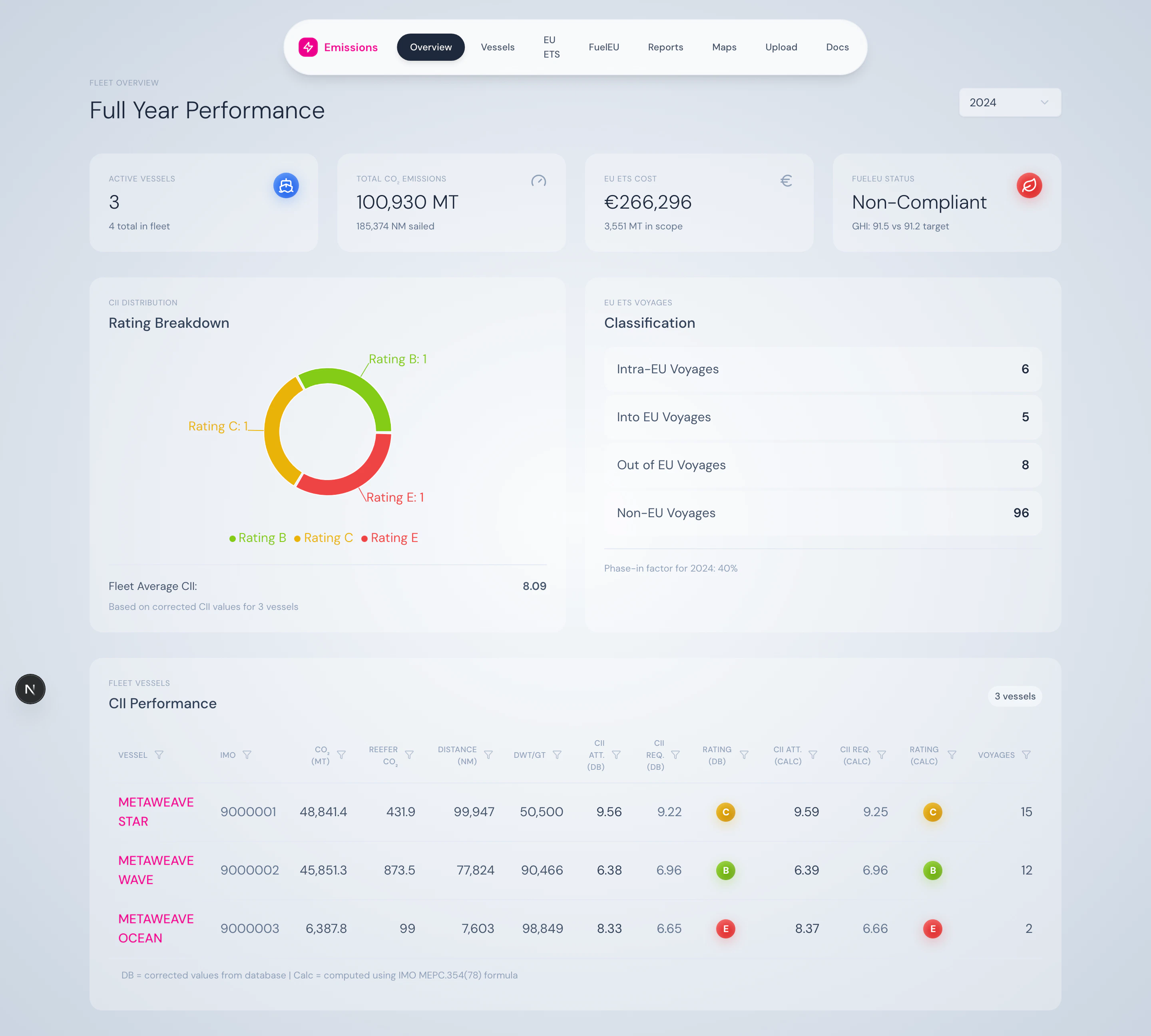
Fleet overview — year selector, four KPI cards, CII distribution, voyage breakdown, and the vessels table.
What’s on the page
Year selector
A single dropdown drives everything. Pick any year that has data. For the current year, a YTD toggle restricts the data to year-to-date.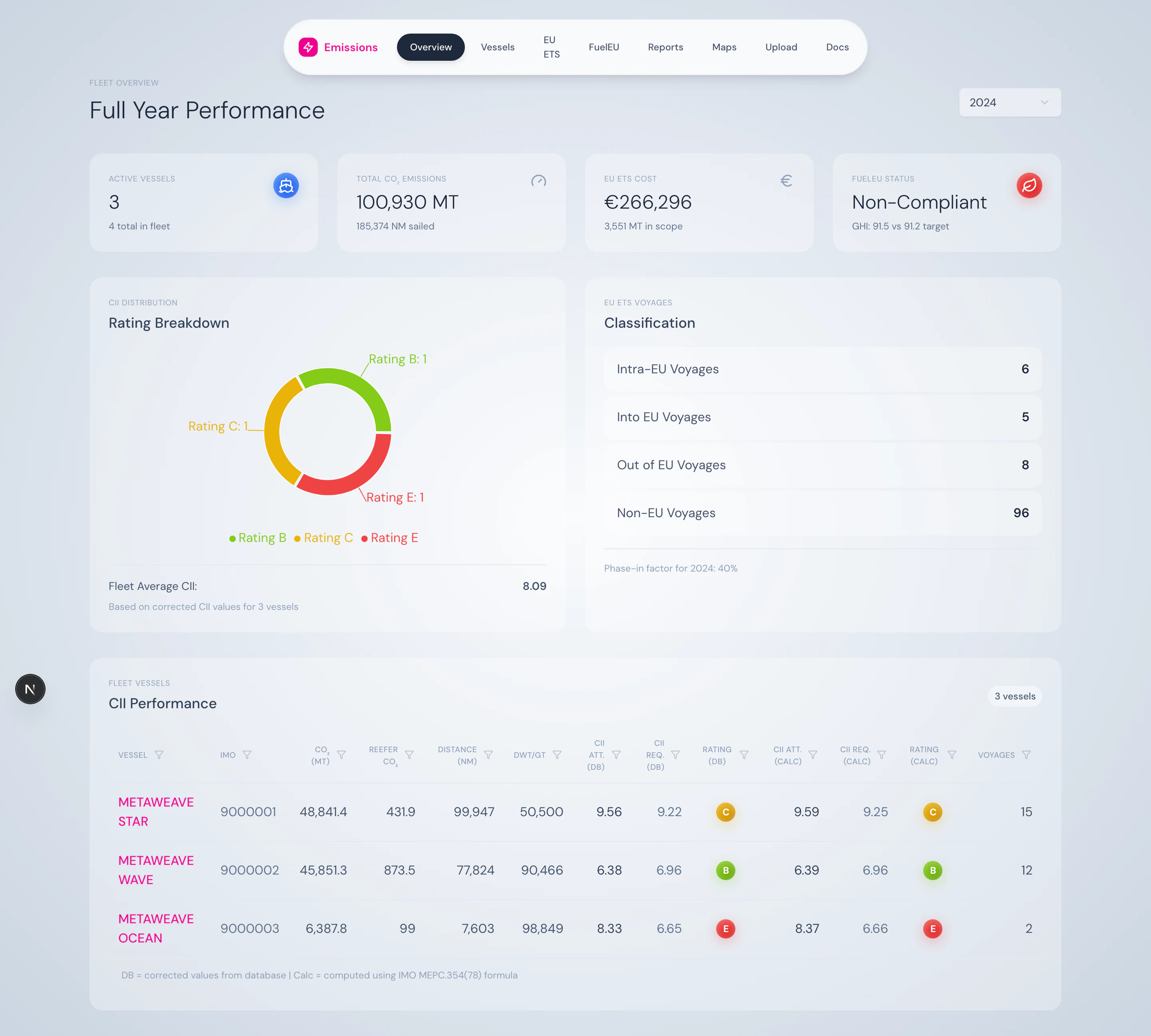
Year selector with optional YTD checkbox for the current year.
Summary cards
Four KPI cards across the top:- Active Vessels — count of vessels with data, plus the total fleet size
- Total CO₂ Emissions — fleet-wide tonnes, plus distance sailed
- EU ETS Total Cost — projected cost in EUR, plus in-scope emissions
- FuelEU Compliance Status — Compliant / Non-Compliant, plus fleet GHI vs. target
CII A–E distribution
A donut chart breaks the fleet down by rating band, with the fleet-average CII annotated in the centre. Hover any band to see the count of vessels in that band.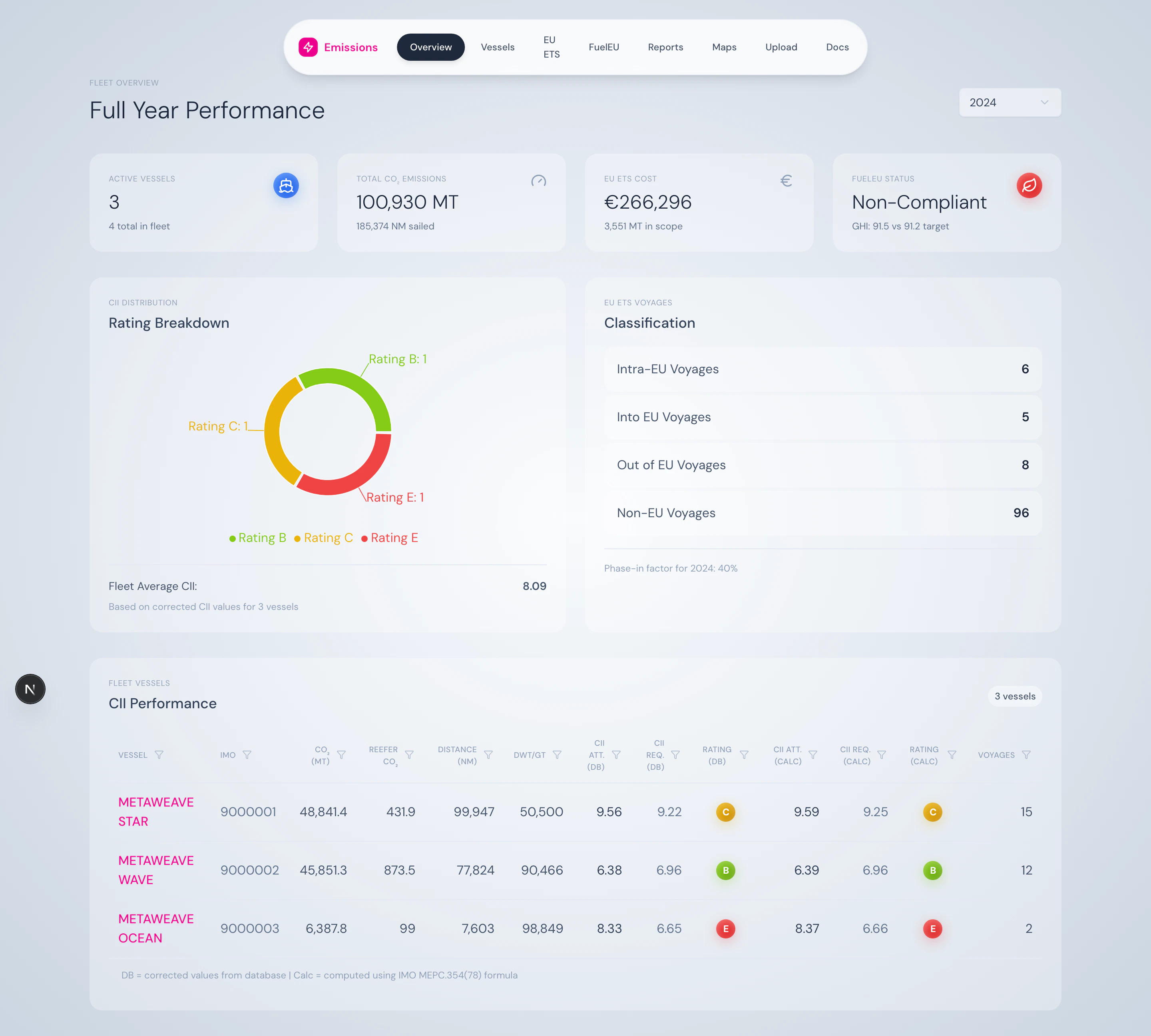
CII distribution chart — fleet-wide A–E breakdown.
EU ETS voyages breakdown
Counts of voyages by classification — Intra-EU, Into-EU, Out-of-EU, Non-EU — alongside the year’s phase-in factor (40% in 2024, 70% in 2025, 100% from 2026).Fleet vessels table
A sortable, paginated table with one row per vessel:- Vessel name + IMO
- CII attained / required / rating
- EU ETS cost
- FuelEU intensity + status
What you can do here
- Compare fleet performance year-over-year by switching the year selector
- Spot underperforming vessels at a glance from the rating distribution
- Click into a vessel for a deep dive
- Project EU ETS cost with the configurable EUA price (set via
DEFAULT_EUA_PRICE)
Source
Powered by/api/fleet/combined and /api/fleet/years. The underlying business logic lives in FleetService (src/lib/services/FleetService.ts).