

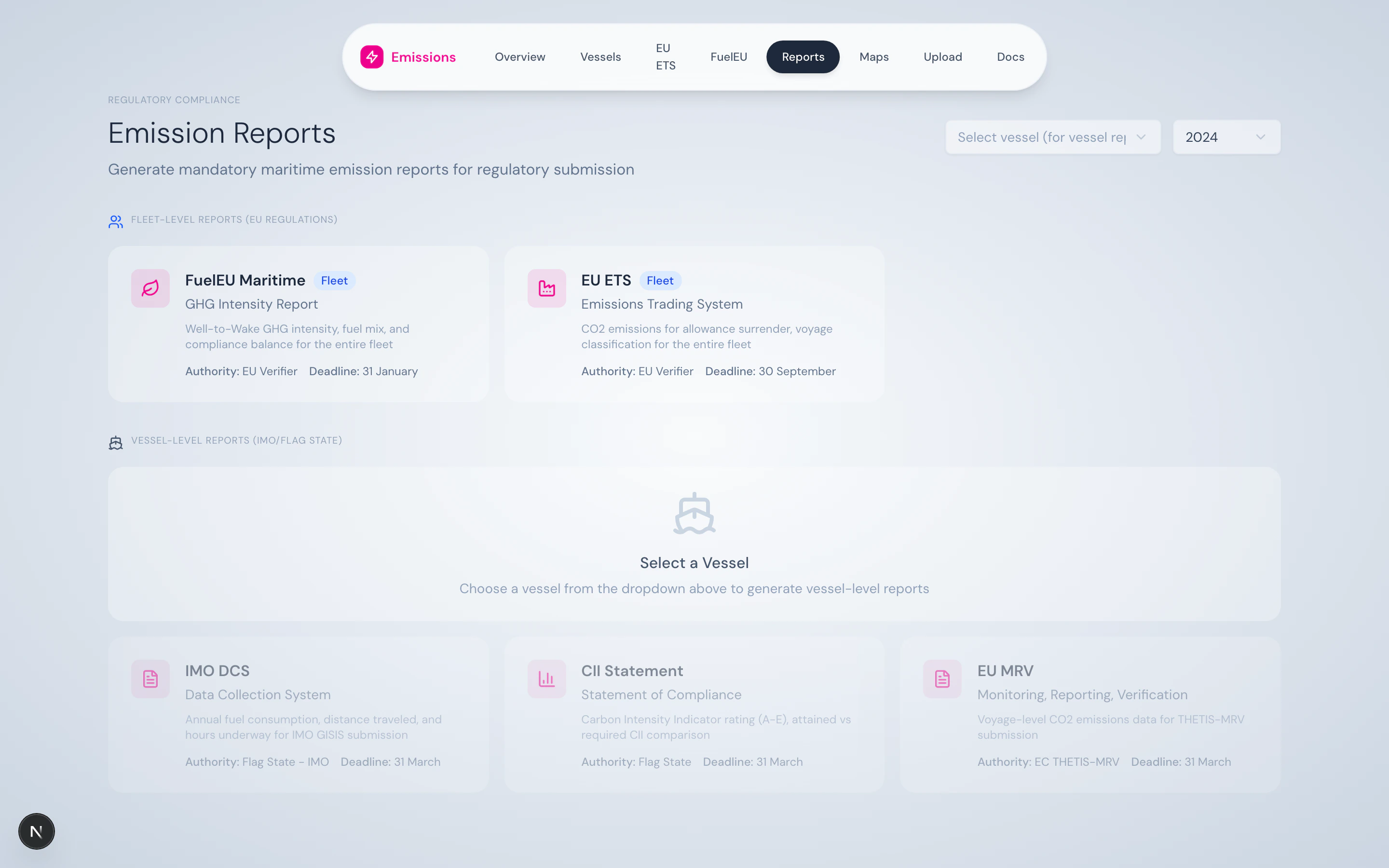
Reports hub — vessel-level reports on the left, fleet-level on the right.
What’s on the page
Vessel selector
A dropdown at the top picks the vessel for vessel-level reports. The year selector picks the reporting year. Fleet-level reports don’t need a vessel selection.Five report cards
IMO DCS
Vessel-level. Annual fuel consumption, distance, hours underway. Submitted via flag state to IMO GISIS. Deadline: 31 March.
CII Statement
Vessel-level. Attained vs. Required CII, A–E rating, reefer correction. Statement of Compliance for flag state. Deadline: 31 March.
EU MRV
Vessel-level. Voyage-level CO₂ emissions for THETIS-MRV. Deadline: 31 March.
EU ETS
Fleet-level. Voyage classification and emissions for allowance surrender. Deadline: 30 September.
FuelEU Maritime
Fleet-level. WtW GHG intensity, fuel mix, compliance balance. Deadline: 31 January.
- Icon + title
- Subtitle (the formal report name)
- Authority — Flag State / EU Verifier / EC THETIS-MRV
- Deadline
- Whether it’s vessel-level or fleet-level
- A disabled state when prerequisites aren’t met (e.g. no vessel selected)
Generation flow
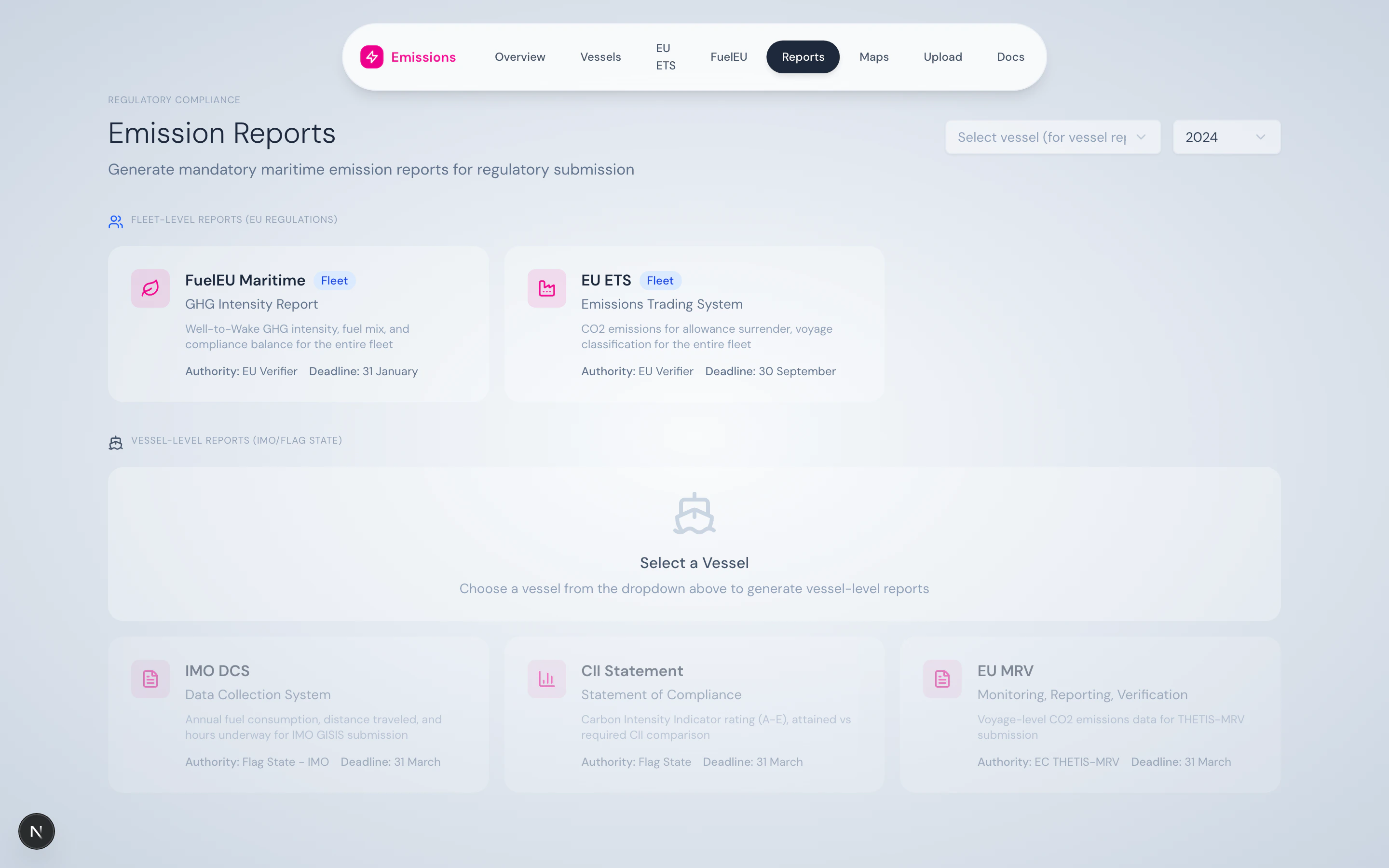
Report panel with download and print actions.
What you can do here
- Generate all five reports for a single vessel-year in one session
- Re-generate after a data correction without rebuilding any state
- Download as PDF for direct submission, or print for offline records
- Cross-check that the same numbers appear in the reports as in the dashboard (they do — same
VoyageSegmentServiceis used)
Source
Each report has a dedicated API route under/api/reports/:
/api/reports/imo-dcs/[imo]?year=YYYY/api/reports/cii-statement/[imo]?year=YYYY/api/reports/eu-mrv/[imo]?year=YYYY/api/reports/eu-ets?year=YYYY/api/reports/fueleu?year=YYYY
jspdf + jspdf-autotable.