Documentation Index

Fetch the complete documentation index at: https://docs.appliedaifoundation.org/llms.txt

Use this file to discover all available pages before exploring further.

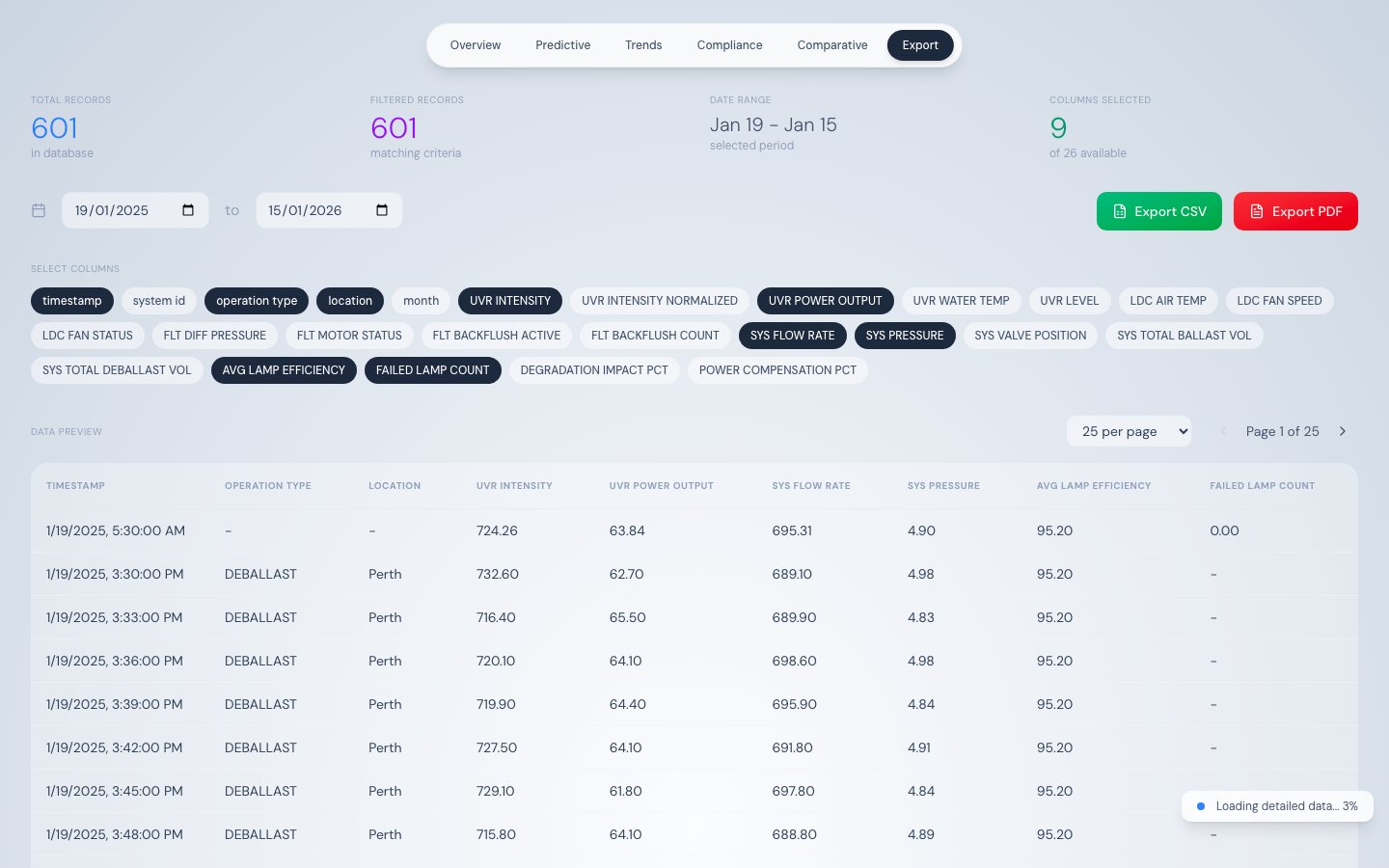
Data Export tab showing column toggle buttons and active filter chips above the data table

What this tab does

The Data Export tab loads the full telemetry dataset and provides a spreadsheet-like interface to filter, preview, and export records as CSV or PDF. It is the primary tool for extracting compliance evidence and operational reports.

How data loads

This tab always loads the maximum dataset:
  1. Stage 1 — Fetches one year of daily aggregated data for an instant initial table view
  2. Stage 2 — Streams raw 500-record chunks until all records are loaded
All filtering, sorting, and export operations run client-side on the fully-loaded dataset, so no additional API calls are needed after streaming completes.

Column selector

Toggle buttons at the top of the tab control which columns appear in the table and are included in exports. Default selection: timestamp, operation_type, location, UVR_INTENSITY, UVR_POWER_OUTPUT, SYS_FLOW_RATE, SYS_PRESSURE, AVG_LAMP_EFFICIENCY, FAILED_LAMP_COUNT

All 26 exportable columns

ColumnTypeDescription
timestampdatetimeRecord timestamp
system_idtextSystem identifier
operation_typetextBALLAST or DEBALLAST
locationtextPort name
monthintegerMonth number
UVR_INTENSITYnumberUV intensity W/m²
UVR_INTENSITY_NORMALIZEDnumberTemperature-corrected intensity W/m²
UVR_POWER_OUTPUTnumberPower output % of rated
UVR_WATER_TEMPnumberWater temperature °C
UVR_LEVELtextUV level descriptor
LDC_AIR_TEMPnumberLDC air temperature °C
LDC_FAN_SPEEDnumberLDC fan speed RPM
LDC_FAN_STATUStextFan operational state
FLT_DIFF_PRESSUREnumberFilter differential pressure bar
FLT_MOTOR_STATUStextFilter motor state
FLT_BACKFLUSH_ACTIVEbooleanBackflush in progress
FLT_BACKFLUSH_COUNTintegerCumulative backflush cycles
SYS_FLOW_RATEnumberFlow rate m³/h
SYS_PRESSUREnumberSystem pressure bar
SYS_VALVE_POSITIONnumberValve opening %
SYS_TOTAL_BALLAST_VOLnumberCumulative ballast volume m³
SYS_TOTAL_DEBALLAST_VOLnumberCumulative deballast volume m³
AVG_LAMP_EFFICIENCYnumberMean efficiency of all 16 lamps %
FAILED_LAMP_COUNTintegerCount of FAILED-status lamps
DEGRADATION_IMPACT_PCTnumberUV output reduction due to aging %
POWER_COMPENSATION_PCTnumberExtra power for degradation compensation %

Column filters (Excel-style)

Hover any column header to reveal a filter funnel icon. Click it to open a filter panel:
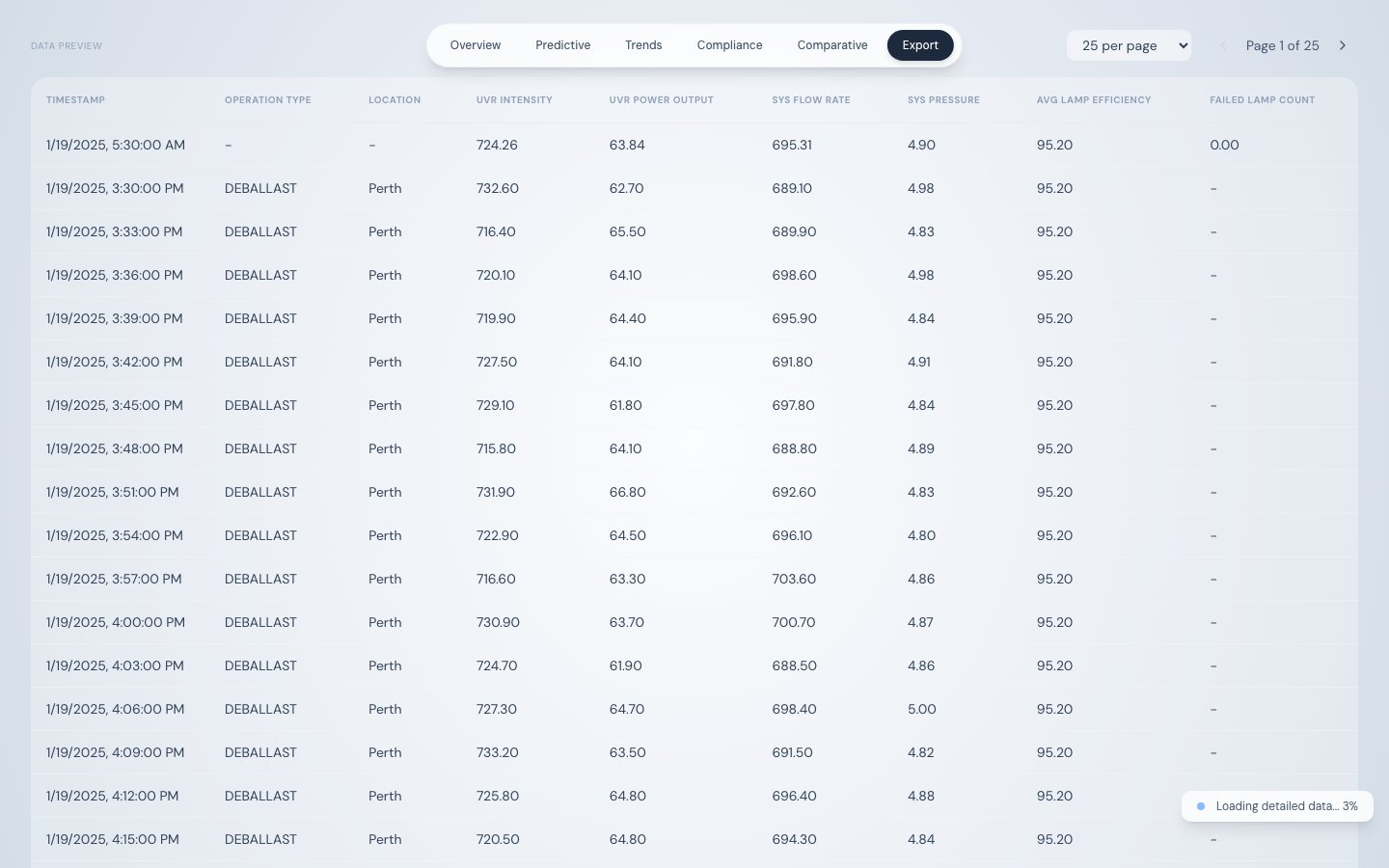
CSV and PDF export buttons with record count indicator
Column typeFilter options
Text (operation_type, location)Substring match (case-insensitive)
NumericTwo-condition filter with operators: >, >=, <, <=, =, connected by AND
Date (timestamp)Date range — start date and end date
Active filters appear as removable chips above the table. Multiple filters combine with AND logic.

Data table

Paginated preview with configurable rows per page (25, 50, or 100). The table shows only selected columns with active filters applied. The record count above the table updates to reflect the filtered row count.

Exporting data

FormatLibraryScopeFile name
CSVPapaParseAll filtered rows (not just current page)bwts_telemetry_YYYY-MM-DD.csv
PDFjsPDF + AutoTableFirst 100 rows of filtered databwts_telemetry_YYYY-MM-DD.pdf
The PDF includes a header with: report title, generation timestamp, selected date range, and total record count.
For compliance submissions, export CSV with columns timestamp, operation_type, location, and UVR_INTENSITY. Filter by date range to cover the voyage in question. This provides a timestamped intensity record for every ballasting event — suitable for supplementary Ballast Water Record Book documentation.

Source

StageEndpoint
Stage 1/api/telemetry/aggregated?interval=day&hours=8760
Stage 2/api/telemetry/chunked?startDate=...&endDate=...&offset=...&limit=500