

01-Metaweave-Forms-Guidelines.md.
Noon Report
The most common report. Sent every day at noon, At Sea or In Port. A Noon is not required only if an Arrival or Departure falls exactly at noon local time on that date.Vessel (pre-populated)

Vessel block — IMO, name, code. Verify before filling anything else.
Voyage
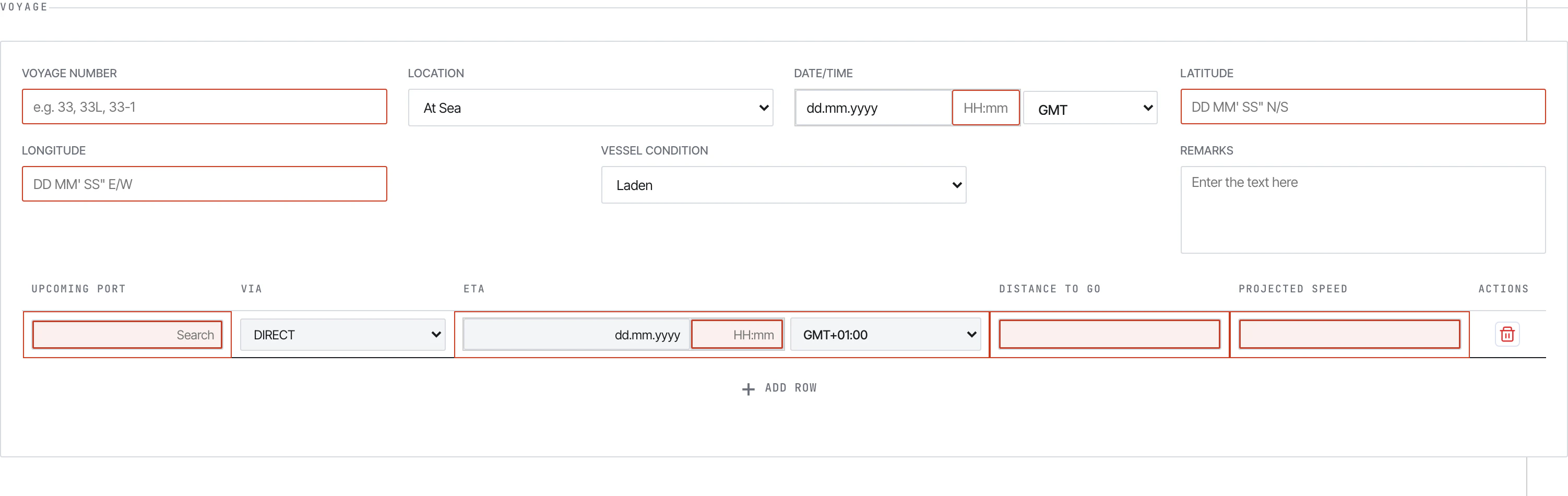
Voyage section. Mandatory fields show a blue left border.
- Voyage Number — current voyage (e.g.
33,33L,33-1) - Location —
In PortorAt Sea. Several downstream sections appear/disappear based on this. - Date/Time — local time + GMT offset dropdown
- Latitude / Longitude —
DD MM' SS" N/SandDD MM' SS" E/W. Auto-formats on tab-out - Vessel Condition —
Ballast/Laden - Port — autocomplete (don’t free-type)
- Within Ice Edge / Refuge Port Call / STS Operation — Yes/No flags
- Upcoming Ports table (At-Sea only) — next port + ETA + distance to go
Distance and Vessel
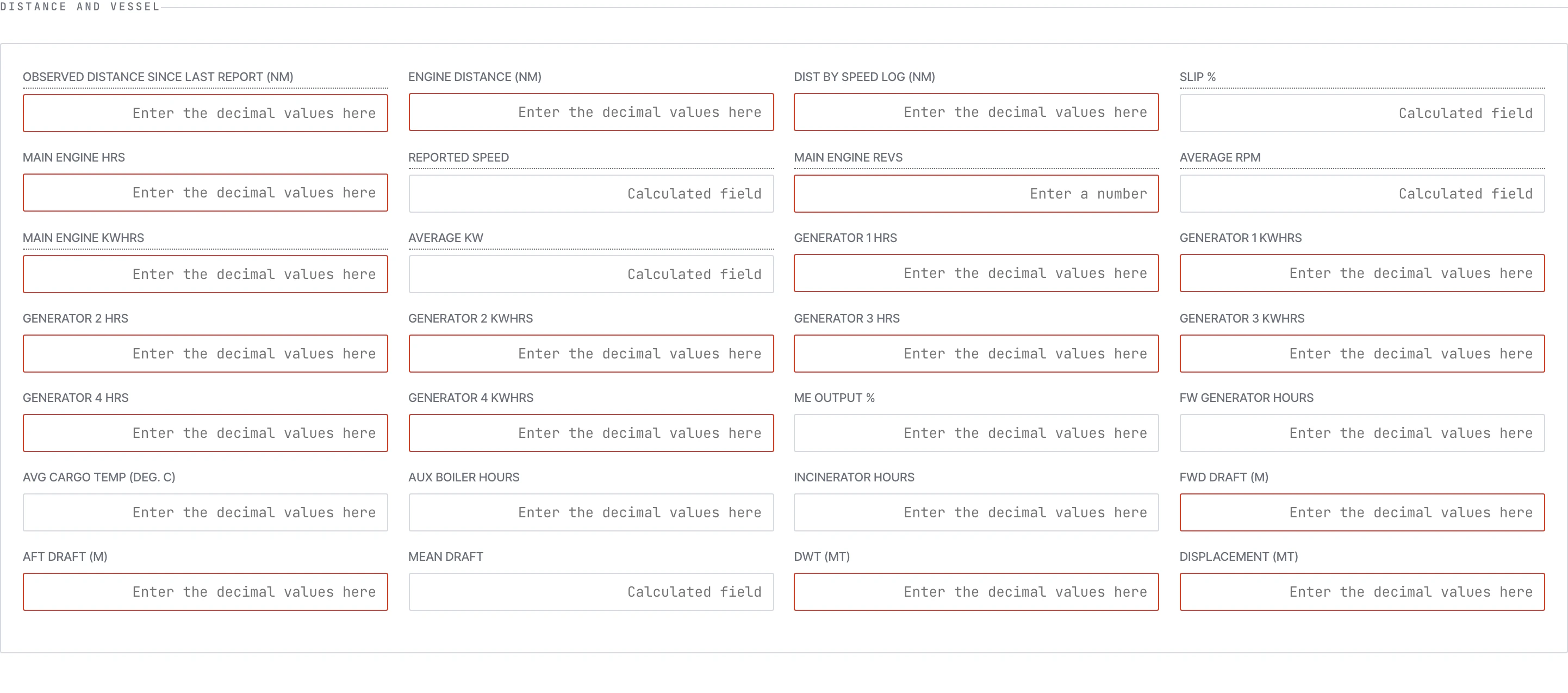
Distance and engine fields. Read-only fields show on grey backgrounds.
- CP/Ordered Speed, Observed Distance, Engine Distance, Speed Log Distance
- Steaming Hours, Main Engine Hours
- Main Engine Revs, Main Engine KWhrs, ME Output %
- Generator 1–4 Hours
- Aux Boiler Hours, Incinerator Hours, FW Generator Hours
- Avg Cargo Temp, Heading
Weather
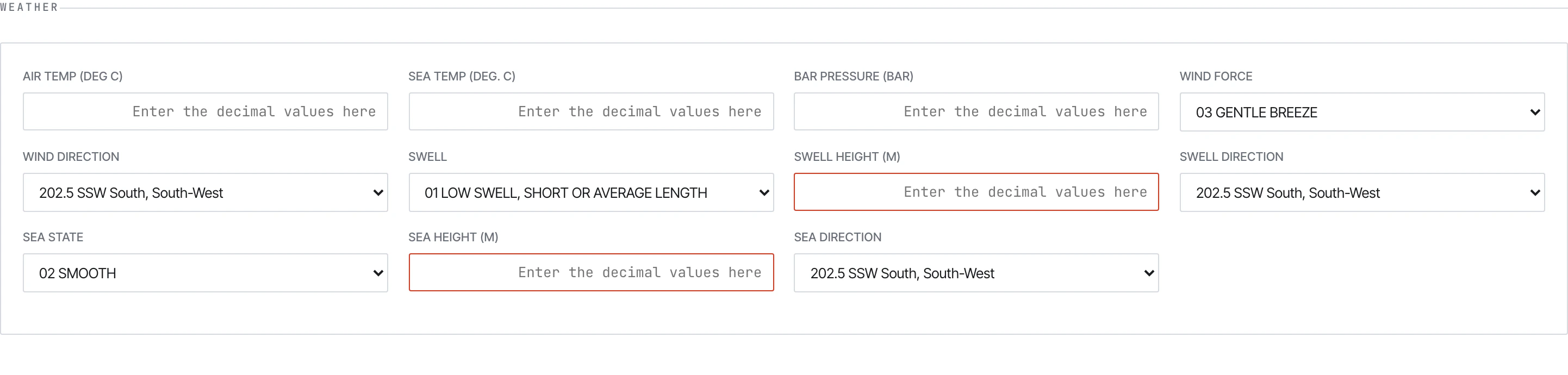
Weather block — wind force/direction, sea state, swell, visibility, temperatures, pressure.
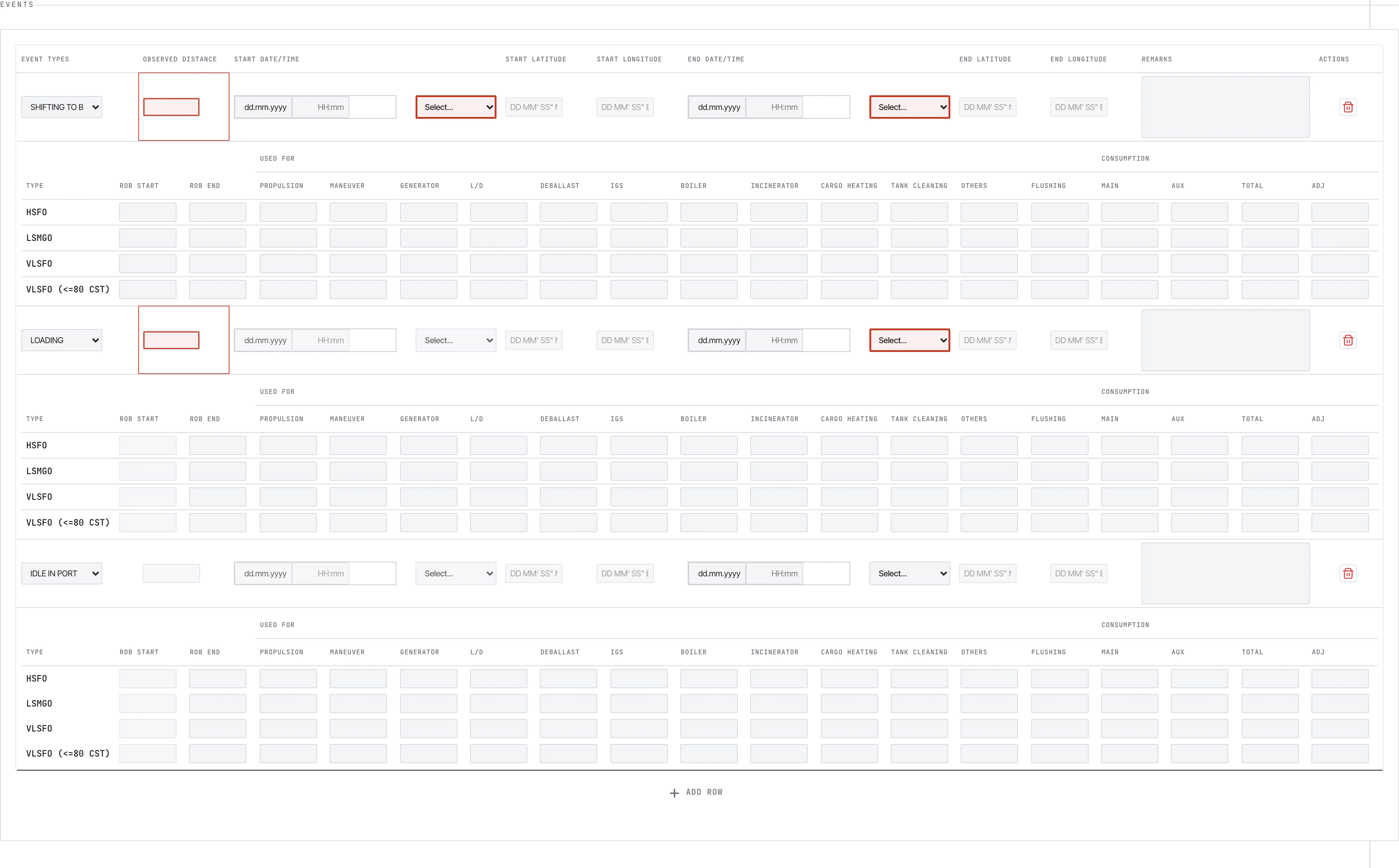
Events
The Events block changes shape based on whether the vessel is At Sea or In Port.At Sea events
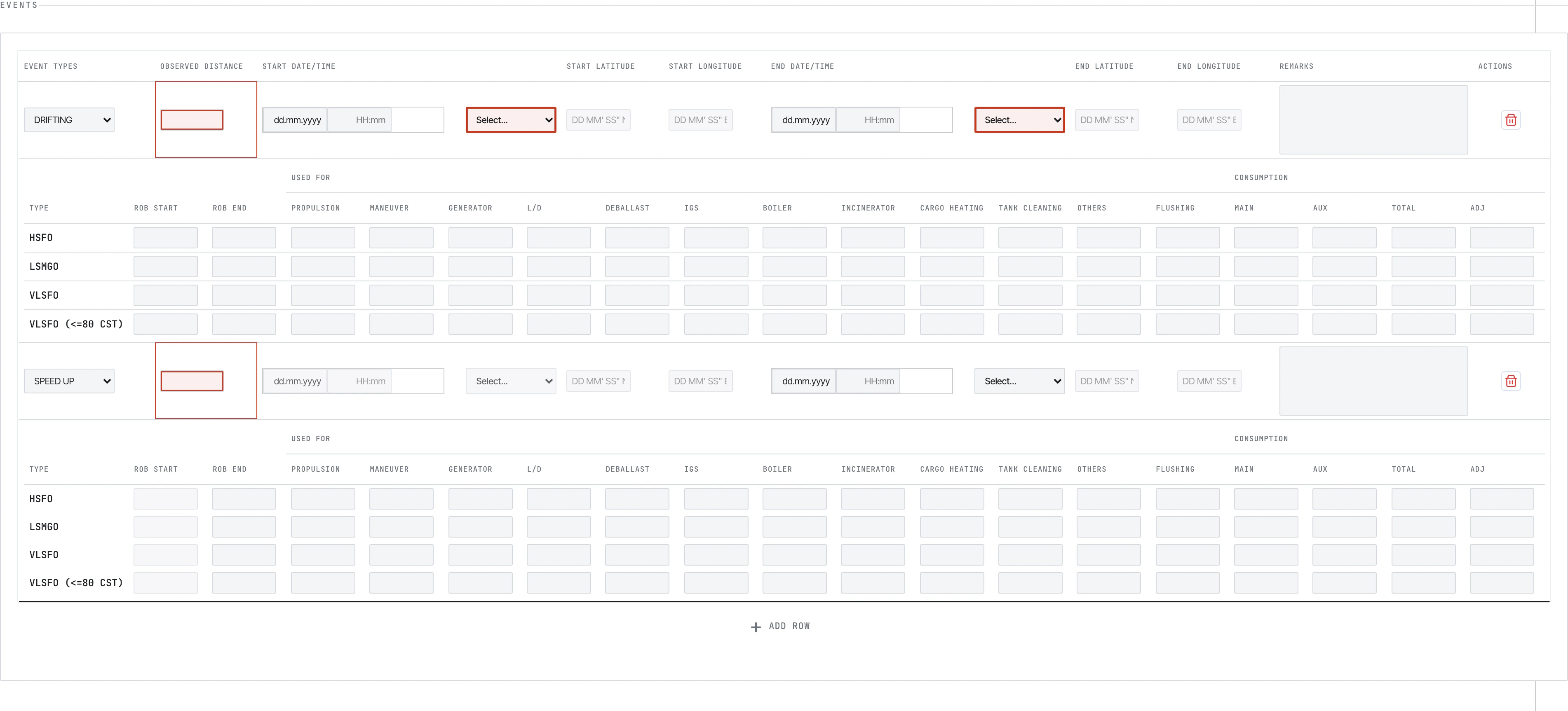
In Port events
Bunker ROB
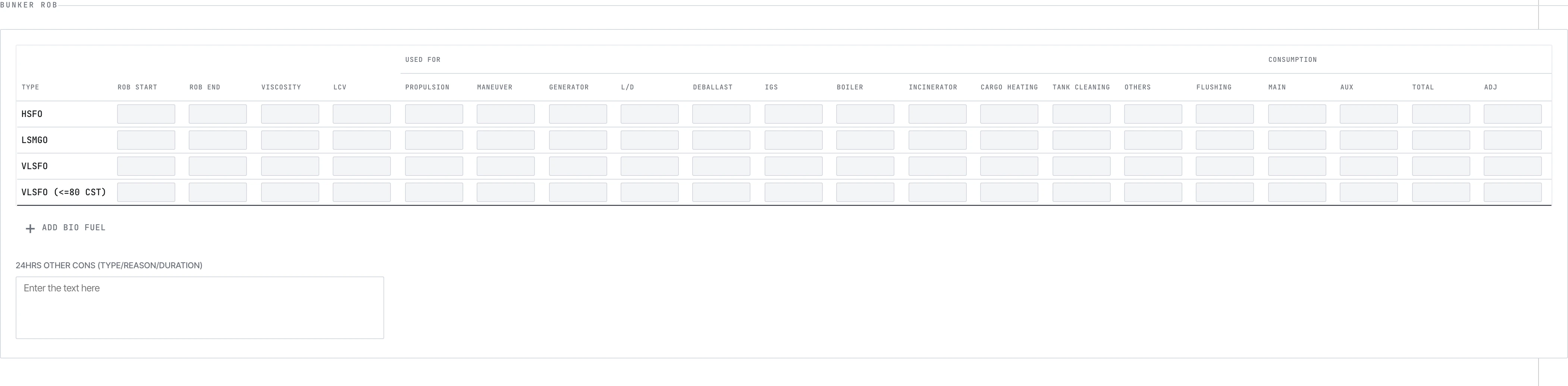
Fuel ROB summary — one row per fuel type.
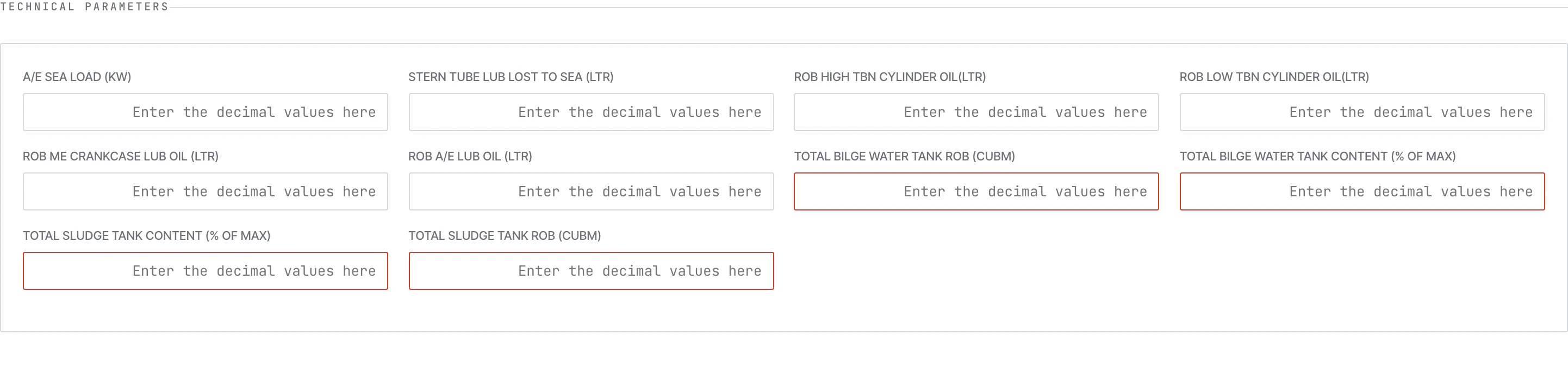
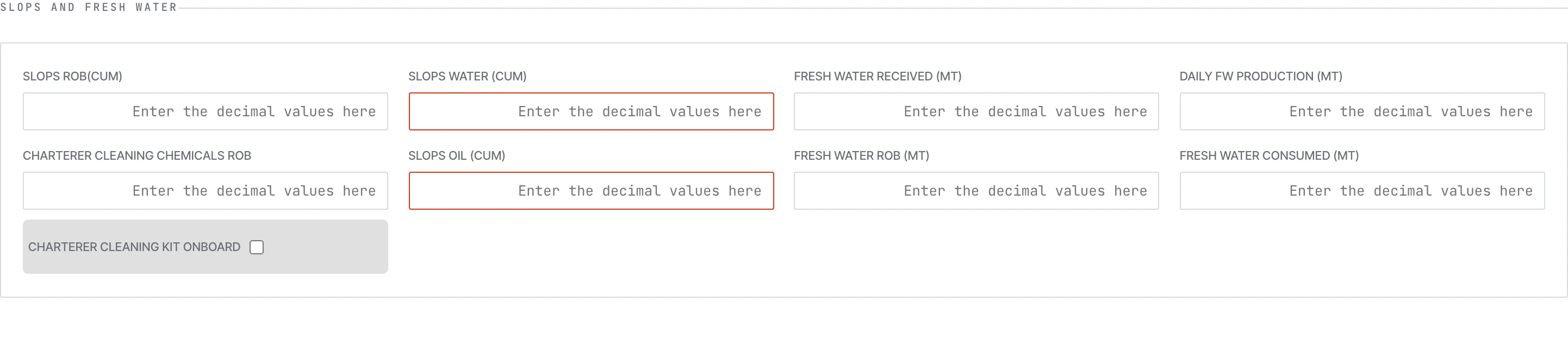
Technical, Scrubber, FOWE, Slops & Fresh Water
Technical Parameters
Scrubber

FOWE System

Slops & Fresh Water
Arrival Report
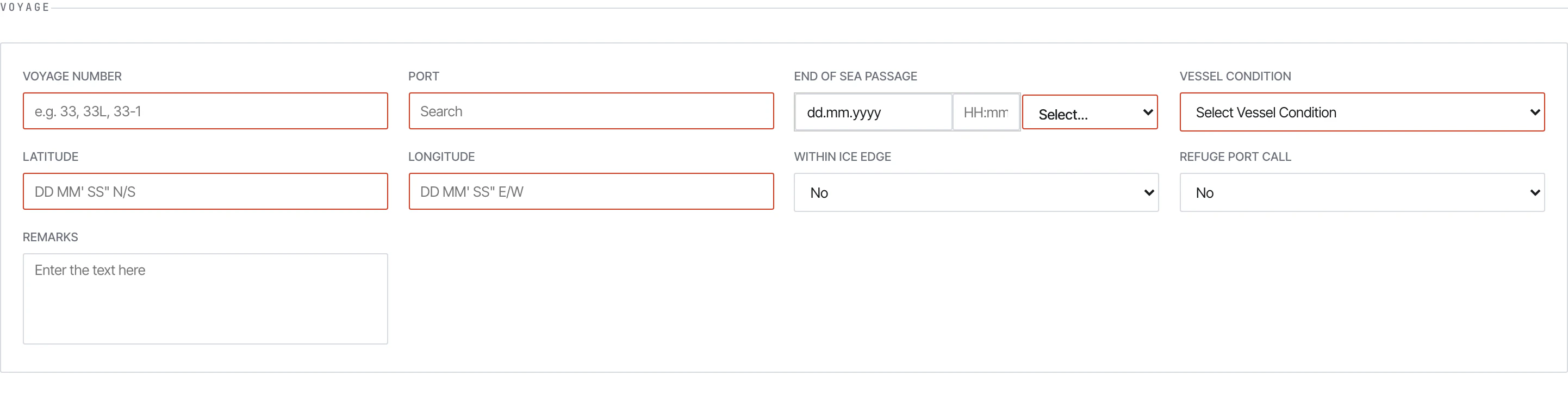
Arrival voyage section — fewer event types, EOSP-flavoured.
- Location is always
At Sea(you record EOSP, not yet in port) - Some sea-only fields tighten (e.g. distance fields cover the final leg only)
- Required at every arrival regardless of whether a Noon already covered the day
Departure Report
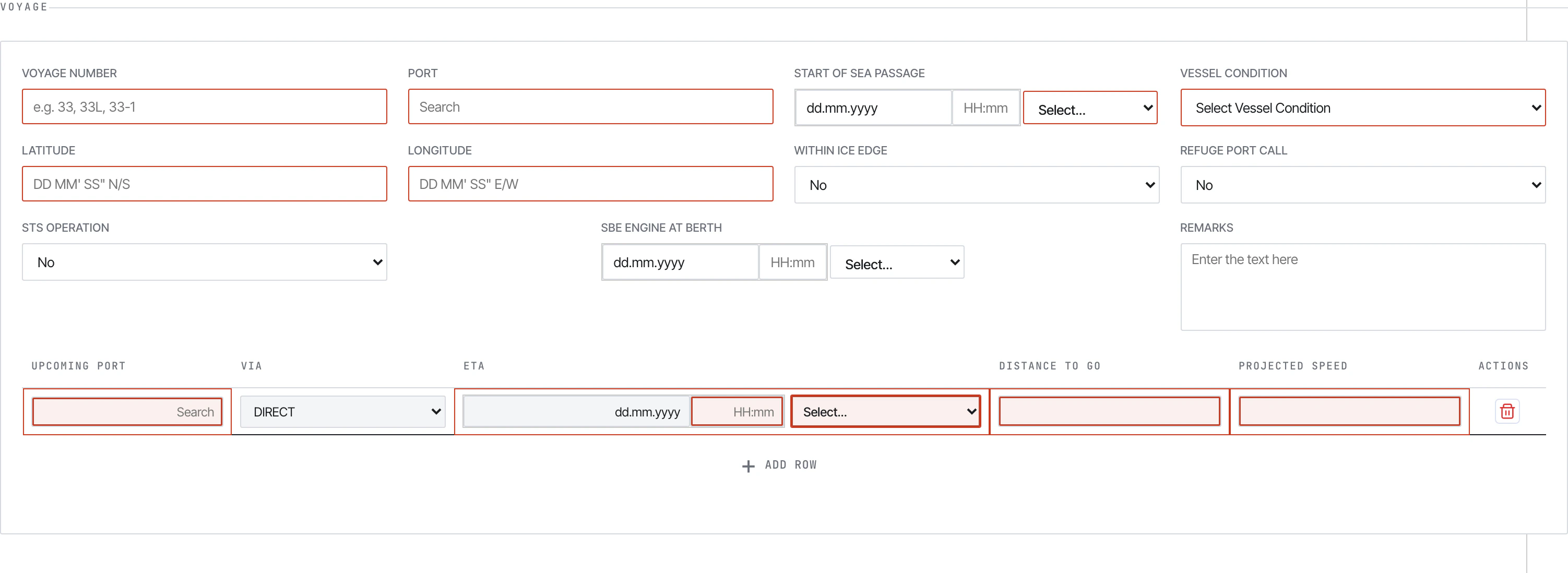
Departure voyage section.

Berthing details — terminal, first-line-ashore, all-fast, clear-berth, tugs.
Bunker Report
A specialised report for bunker lifts — separate from the consumption you log in Noon.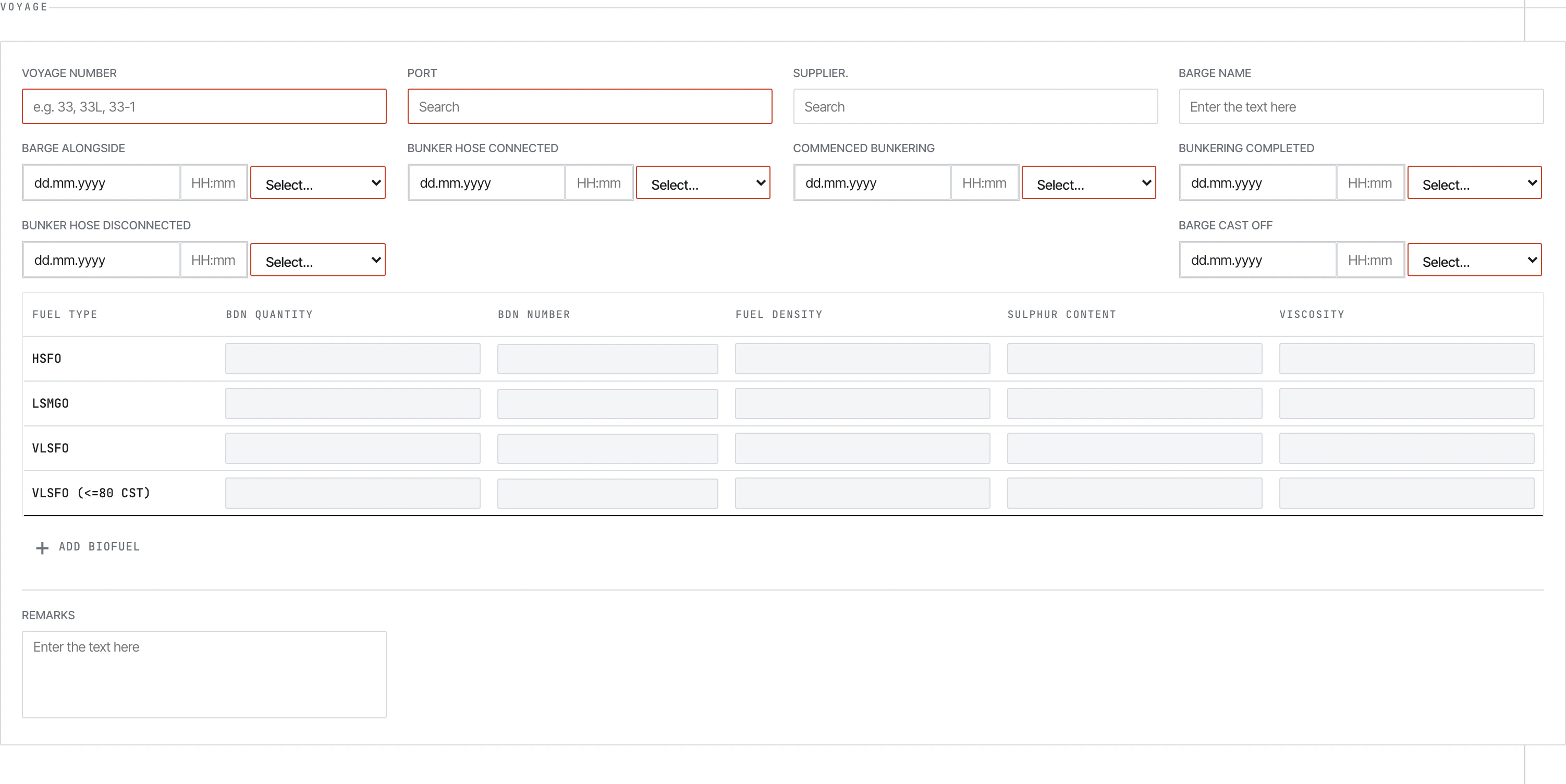
Bunker Report voyage section.

BDN table — supplier, BDN number, fuel grade, quantity, density, sulphur, viscosity, LCV.
Bio Fuel dialog
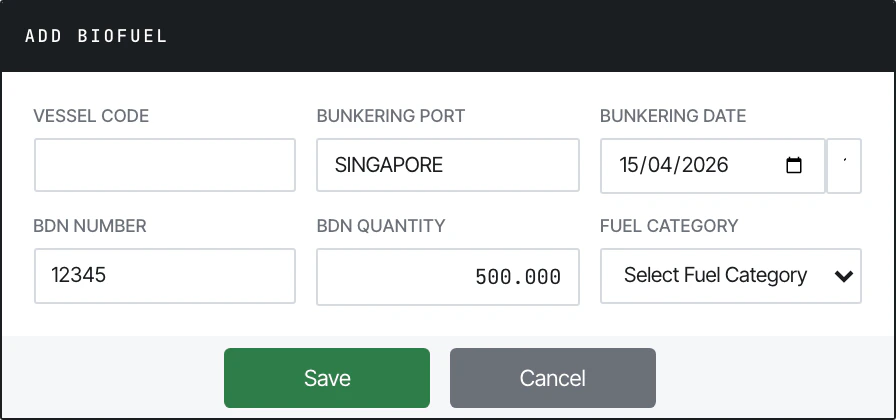
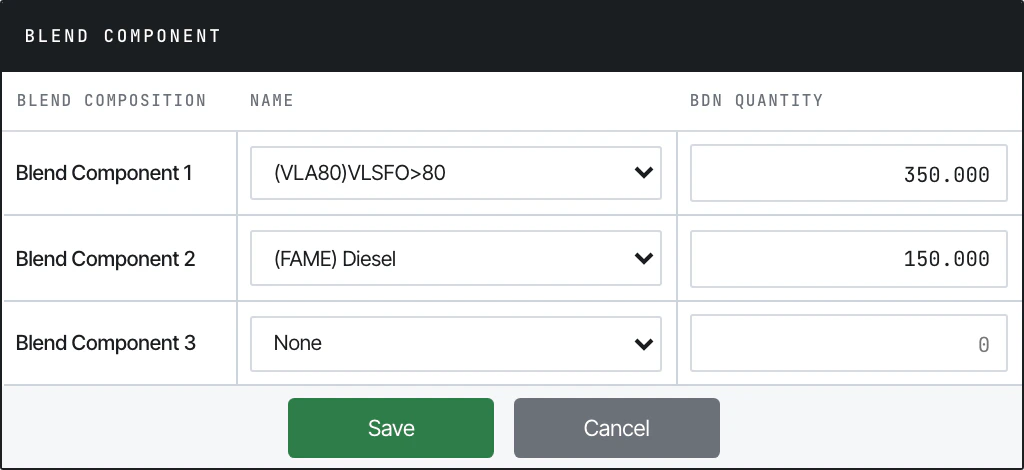
Blend Component dialog
Statement of Facts (SOF)
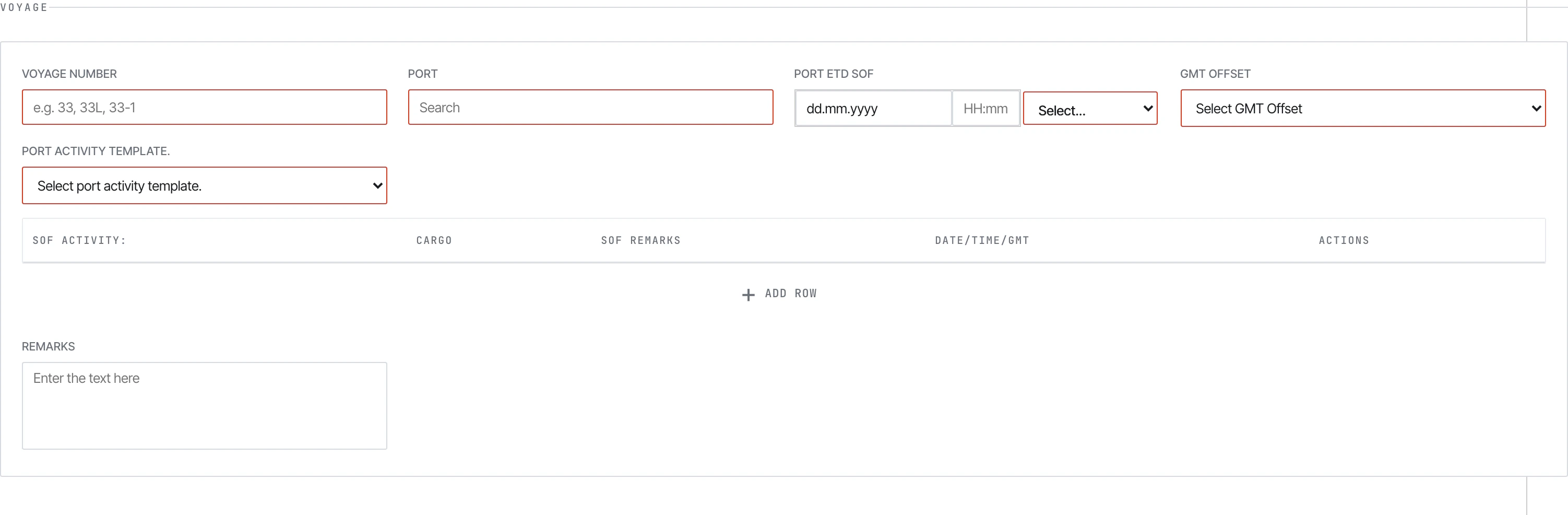
SOF voyage section.

SOF port activity table.
See also
- Submitting — the Submit modal flow
- Validation — required fields and validation limits
- Guidelines PDFs —
01-Metaweave-Forms-Guidelines.mdis the field-by-field crew reference