From opening the form on the vessel to seeing a row in PostgreSQL — the whole loop, end to end.
This walkthrough touches every part of the system: the form, Submit, the local archive, the email path, the pipeline, and the database. Skim it first, then dive into the specific section that matters to you.
1
Open the form
The crew double-clicks Metaweave-Reports.html in Chrome or Edge. Everything is embedded — jQuery, CryptoJS, all the dropdowns, all the validation rules. No internet needed.The left sidebar lists the five report tabs: Noon, Arrival, Departure, Bunker, Statement of Facts.
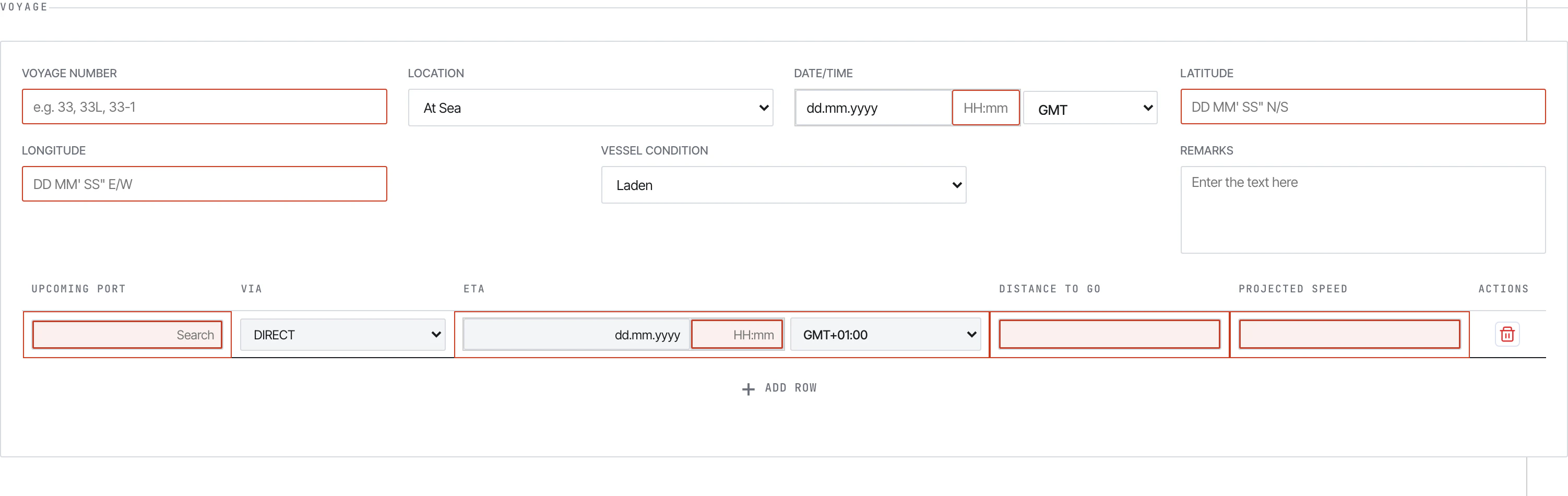
Voyage section of the Noon Report. Mandatory fields have a blue left border.
2
Fill the report
The Master fills the daily fields: voyage number, position (DMS), vessel condition, weather, distance, engine hours, fuel ROBs, generators, scrubber, slops, and so on. Auto-calculated fields (Slip %, Reported Speed, Average RPM) are read-only — fix the inputs that feed them.See Filling reports for the section-by-section walkthrough.
3
Submit
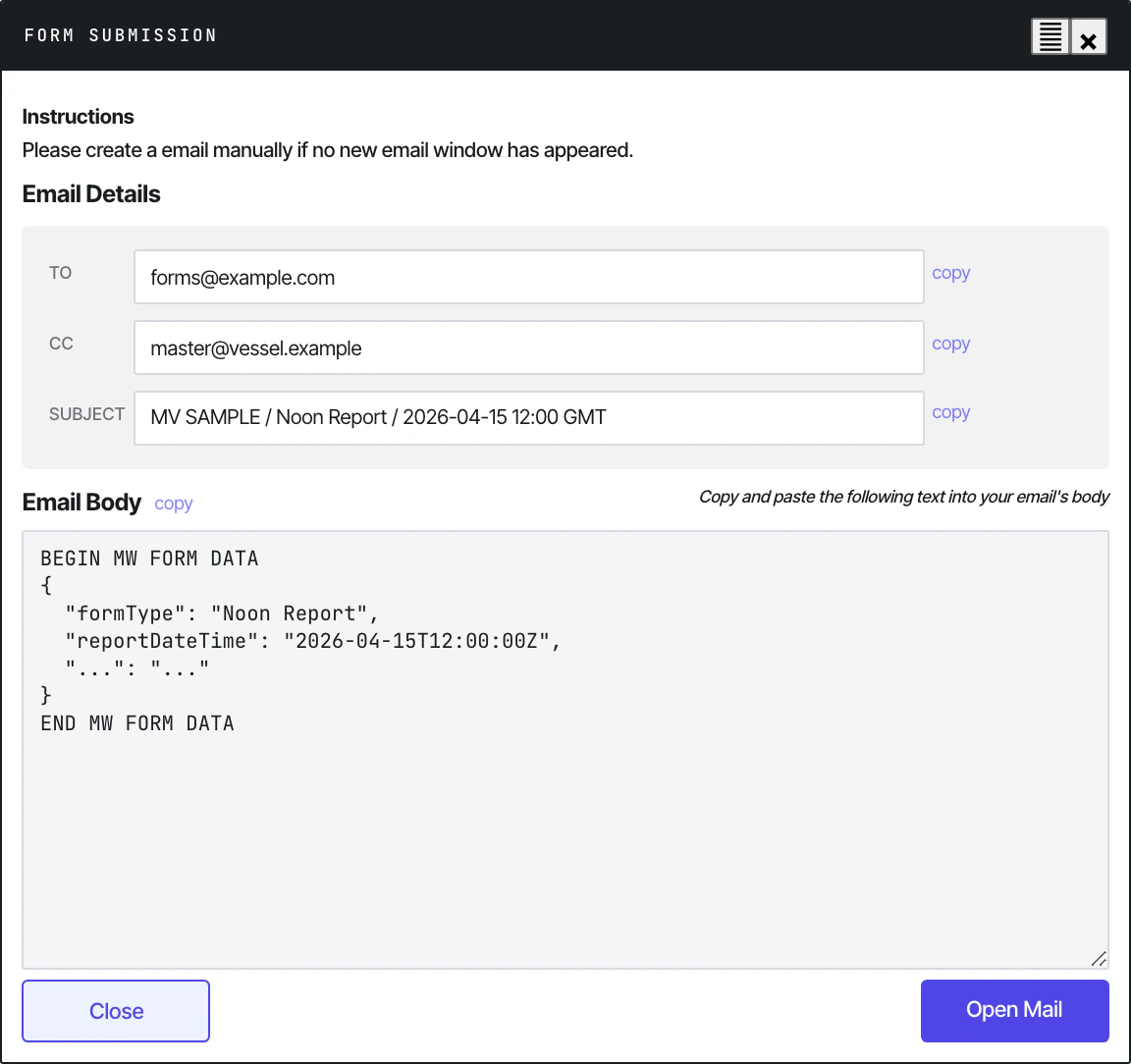
Click Submit at the bottom of the report. The form runs validation, then opens a Form Submission modal showing the encoded payload.
Submit dialog with the AES-encrypted payload between BEGIN/END markers.
The Master copies the entire body (BEGIN MW FORM DATA … END MW FORM DATA), pastes it into a plain-text Outlook email with the standardised subject Metaweave Forms: VESSEL - Report Type - DD.MM.YYYY, and sends it.See Submitting for the full flow.
4
The submission is archived locally
Behind the scenes, every Submit also appends to history.json on the vessel’s shared drive — read-write through the browser’s File System Access API. A small toast confirms Archived (insert). N rows in history.
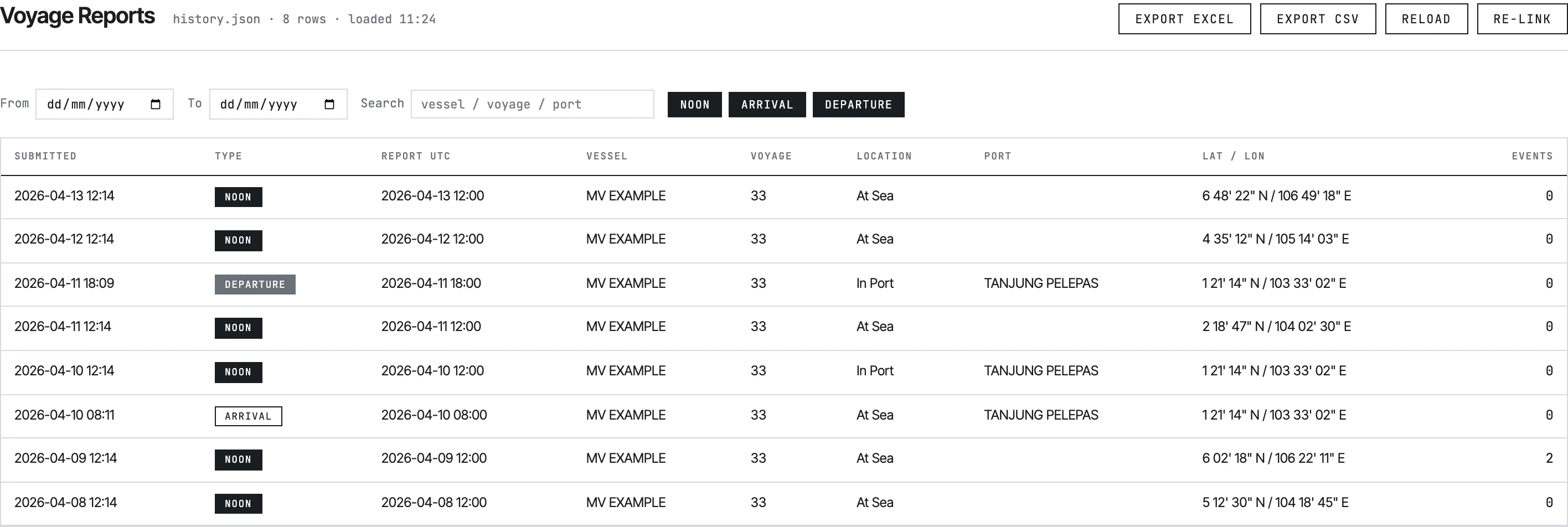
Open Metaweave-History-Viewer.html from the same shared folder and link the same history.json. The viewer lists every report ever submitted across four tabs (Voyage, SOF, Bunker, Month-End ROB) with date filters, search, and Excel/CSV export.
History viewer — Voyage Reports tab with NOON / ARRIVAL / DEPARTURE filters.
6
Pipeline picks up the email
On shore, python -m src.main runs on a schedule. It logs into the shared Outlook mailbox via Microsoft Graph, pulls every unread message with Metaweave Forms in the subject, decrypts the payload (AES-128-CBC), maps the 92-field JSON to SQLAlchemy models, and upserts to PostgreSQL.See Running the pipeline and ETL stages.
7
Row lands in Postgres
Each submission becomes one row in metaweave_report plus child rows in 11 satellite tables (events, bunker ROBs, upcoming ports, FOWE periods, scrubber breakdowns, BDN deliveries, biofuels, SOF activities, cargo, month-end, berthing). Re-submitting a corrected report replaces the previous one — (vessel_id, report_type, report_datetime_utc) is unique, and CASCADE deletes wipe the children.See Data model.