> ## Documentation Index
> Fetch the complete documentation index at: https://docs.appliedaifoundation.org/llms.txt
> Use this file to discover all available pages before exploring further.
# 5-minute tour
> From opening the form on the vessel to seeing a row in PostgreSQL — the whole loop, end to end.
This walkthrough touches every part of the system: the form, Submit, the local archive, the email path, the pipeline, and the database. Skim it first, then dive into the specific section that matters to you.
The crew double-clicks `Metaweave-Reports.html` in Chrome or Edge. Everything is embedded — jQuery, CryptoJS, all the dropdowns, all the validation rules. No internet needed.
The left sidebar lists the five report tabs: **Noon**, **Arrival**, **Departure**, **Bunker**, **Statement of Facts**.
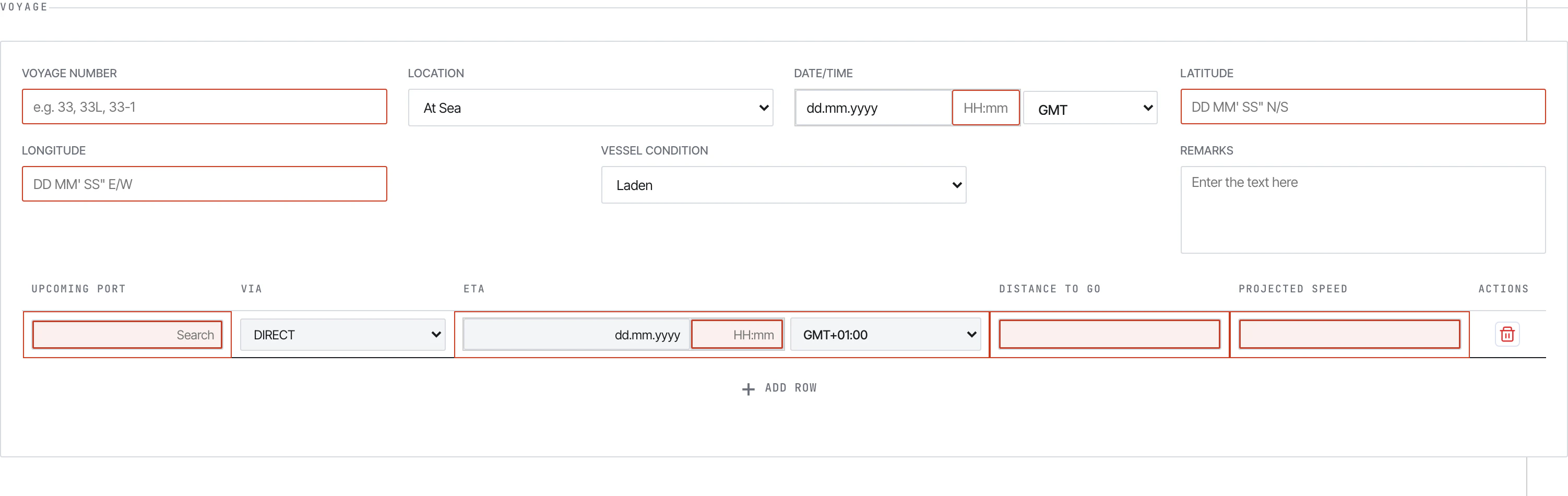 The Master fills the daily fields: voyage number, position (DMS), vessel condition, weather, distance, engine hours, fuel ROBs, generators, scrubber, slops, and so on. Auto-calculated fields (Slip %, Reported Speed, Average RPM) are read-only — fix the inputs that feed them.
See [Filling reports](/form/filling-reports) for the section-by-section walkthrough.
Click **Submit** at the bottom of the report. The form runs validation, then opens a `Form Submission` modal showing the encoded payload.
The Master fills the daily fields: voyage number, position (DMS), vessel condition, weather, distance, engine hours, fuel ROBs, generators, scrubber, slops, and so on. Auto-calculated fields (Slip %, Reported Speed, Average RPM) are read-only — fix the inputs that feed them.
See [Filling reports](/form/filling-reports) for the section-by-section walkthrough.
Click **Submit** at the bottom of the report. The form runs validation, then opens a `Form Submission` modal showing the encoded payload.
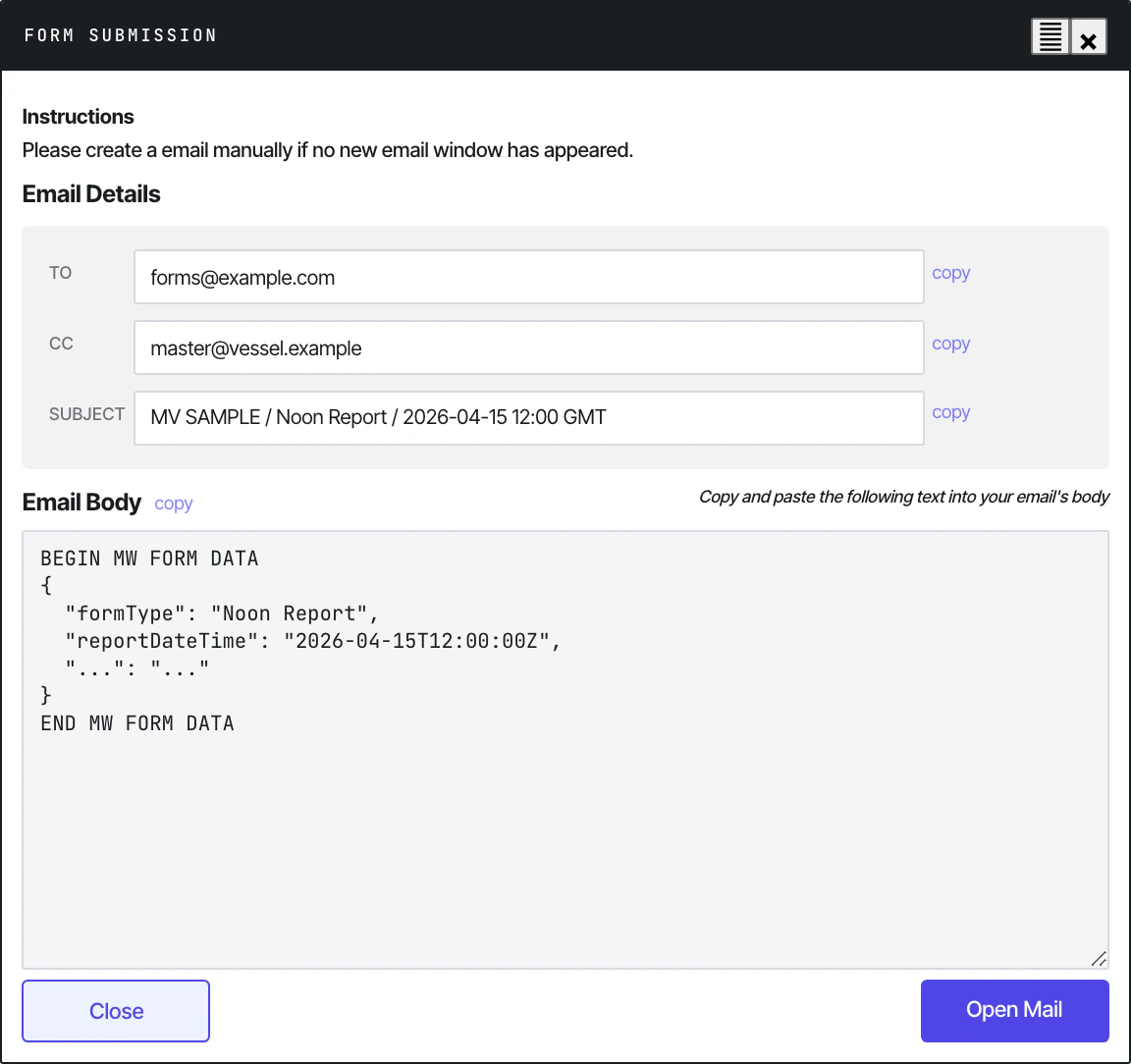 The Master copies the entire body (`BEGIN MW FORM DATA` … `END MW FORM DATA`), pastes it into a plain-text Outlook email with the standardised subject `Metaweave Forms: VESSEL - Report Type - DD.MM.YYYY`, and sends it.
See [Submitting](/form/submitting) for the full flow.
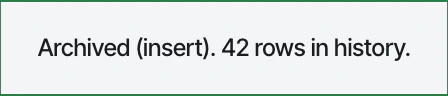
Behind the scenes, every Submit also appends to `history.json` on the vessel's shared drive — read-write through the browser's File System Access API. A small toast confirms `Archived (insert). N rows in history.`
The Master copies the entire body (`BEGIN MW FORM DATA` … `END MW FORM DATA`), pastes it into a plain-text Outlook email with the standardised subject `Metaweave Forms: VESSEL - Report Type - DD.MM.YYYY`, and sends it.
See [Submitting](/form/submitting) for the full flow.
Behind the scenes, every Submit also appends to `history.json` on the vessel's shared drive — read-write through the browser's File System Access API. A small toast confirms `Archived (insert). N rows in history.`
 See [Setting up history.json](/history/setup) for how this is wired up on day 1.
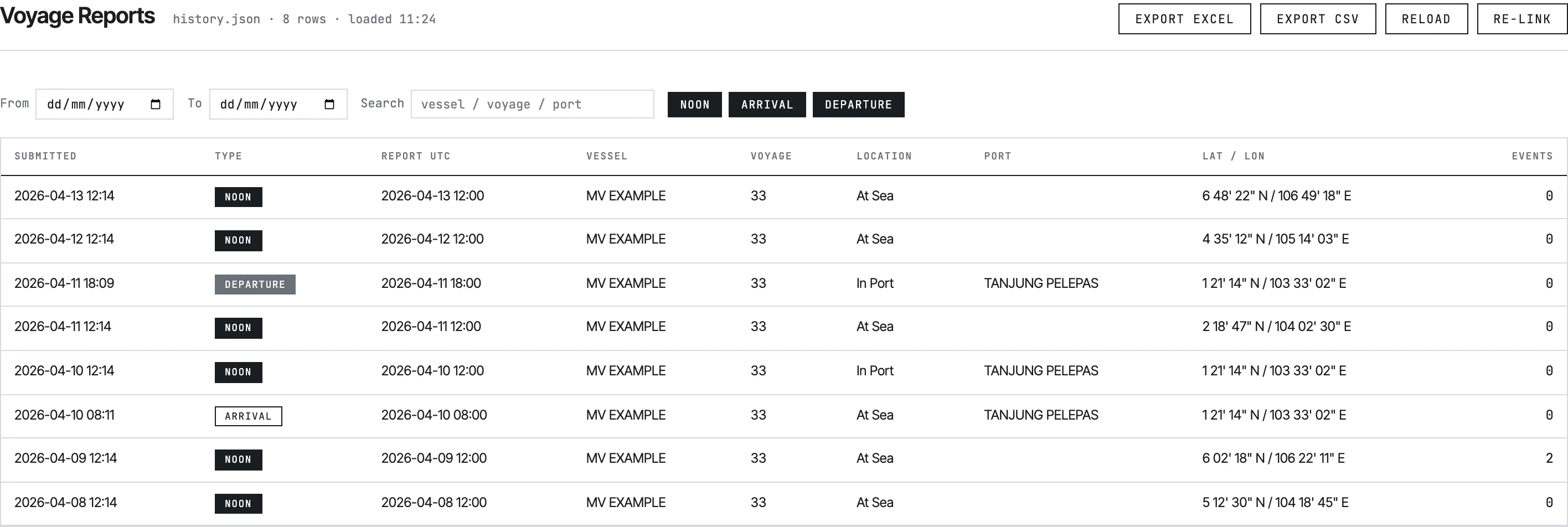
Open `Metaweave-History-Viewer.html` from the same shared folder and link the same `history.json`. The viewer lists every report ever submitted across four tabs (Voyage, SOF, Bunker, Month-End ROB) with date filters, search, and Excel/CSV export.
See [Setting up history.json](/history/setup) for how this is wired up on day 1.
Open `Metaweave-History-Viewer.html` from the same shared folder and link the same `history.json`. The viewer lists every report ever submitted across four tabs (Voyage, SOF, Bunker, Month-End ROB) with date filters, search, and Excel/CSV export.
 On shore, `python -m src.main` runs on a schedule. It logs into the shared Outlook mailbox via Microsoft Graph, pulls every unread message with `Metaweave Forms` in the subject, decrypts the payload (AES-128-CBC), maps the 92-field JSON to SQLAlchemy models, and upserts to PostgreSQL.
See [Running the pipeline](/pipeline/running) and [ETL stages](/pipeline/etl-stages).
Each submission becomes one row in `metaweave_report` plus child rows in 11 satellite tables (events, bunker ROBs, upcoming ports, FOWE periods, scrubber breakdowns, BDN deliveries, biofuels, SOF activities, cargo, month-end, berthing). Re-submitting a corrected report **replaces** the previous one — `(vessel_id, report_type, report_datetime_utc)` is unique, and CASCADE deletes wipe the children.
See [Data model](/pipeline/data-model).
## Where to go next
Tabs, layout, sidebar, validation philosophy.
How office configures, vessel links, what archives per Submit.
ETL diagram and stage-by-stage walkthrough.
Summary of the seven guideline documents shipped with the form bundle.
On shore, `python -m src.main` runs on a schedule. It logs into the shared Outlook mailbox via Microsoft Graph, pulls every unread message with `Metaweave Forms` in the subject, decrypts the payload (AES-128-CBC), maps the 92-field JSON to SQLAlchemy models, and upserts to PostgreSQL.
See [Running the pipeline](/pipeline/running) and [ETL stages](/pipeline/etl-stages).
Each submission becomes one row in `metaweave_report` plus child rows in 11 satellite tables (events, bunker ROBs, upcoming ports, FOWE periods, scrubber breakdowns, BDN deliveries, biofuels, SOF activities, cargo, month-end, berthing). Re-submitting a corrected report **replaces** the previous one — `(vessel_id, report_type, report_datetime_utc)` is unique, and CASCADE deletes wipe the children.
See [Data model](/pipeline/data-model).
## Where to go next
Tabs, layout, sidebar, validation philosophy.
How office configures, vessel links, what archives per Submit.
ETL diagram and stage-by-stage walkthrough.
Summary of the seven guideline documents shipped with the form bundle.