> ## Documentation Index
> Fetch the complete documentation index at: https://docs.appliedaifoundation.org/llms.txt
> Use this file to discover all available pages before exploring further.
# Metaweave Voyage Reporting
> Self-contained HTML forms for vessel-side reporting, a local history archive, and a Python pipeline that ingests submissions into PostgreSQL.
 ## What is this?
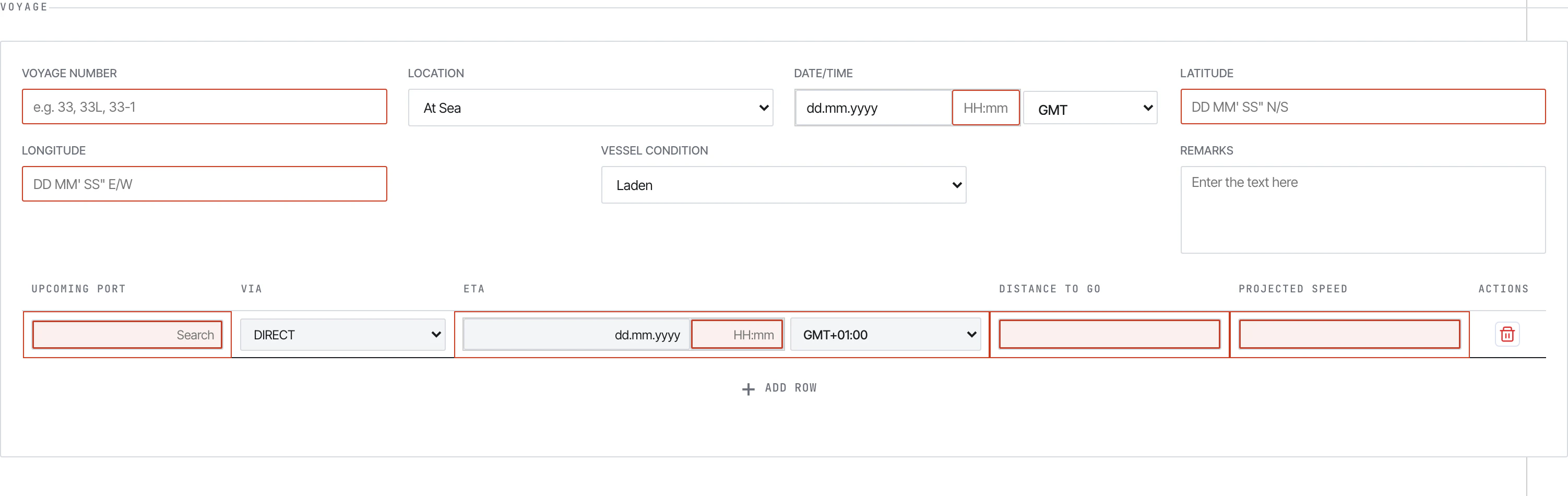
Metaweave is a maritime voyage reporting system used by vessels to send daily performance, port, and bunker data back to shore. It has three parts:
A single-file HTML form the crew opens in Chrome. Validates input, encrypts the payload, and submits by email.
A read-only HTML viewer that browses every report the vessel has ever submitted, archived locally as `history.json`.
A Python ETL that fetches the submission emails from Outlook, decrypts them, and upserts to PostgreSQL.
## What it covers
| Report | When to send |
| ------------------------------- | ------------------------------------------------------- |
| **Noon Report** | Every day at noon, At Sea or In Port |
| **Arrival Report** | At End of Sea Passage (EOSP) on arrival |
| **Departure Report** | At Commencement of Sea Passage (COSP) on departure |
| **Bunker Report** | Every time the vessel lifts bunkers |
| **Statement of Facts (SOF)** | After completing cargo ops at one port |
| **Delay / Off-Hire Notice** | When the vessel goes off-hire or experiences a delay |
| **Cargo Handling** | Cargo loading / discharge details |
| **Terminal Satisfaction Sheet** | Feedback on terminal performance after a port call |
| **Month-End Bunker Data** | Bunker ROB reconciliation on the last day of each month |
## Who it's for
* **Vessel Masters and officers** — fill the daily forms and click Submit.
* **Shore performance teams** — receive the emails, run the pipeline, query PostgreSQL.
* **Office staff** — pre-configure the form per vessel (IMO, validation limits) and ship the bundle to each ship.
* **Anyone reviewing past reports** — open the History Viewer, browse, export to Excel/CSV.
## What's next
From opening the form to a row in Postgres — the whole loop in one walkthrough.
Section-by-section walkthrough of each report type.
How the office configures the form, links the file on the vessel, and what gets archived per Submit.
`python -m src.main` — fetch from Outlook, decrypt, upsert.
## What is this?
Metaweave is a maritime voyage reporting system used by vessels to send daily performance, port, and bunker data back to shore. It has three parts:
A single-file HTML form the crew opens in Chrome. Validates input, encrypts the payload, and submits by email.
A read-only HTML viewer that browses every report the vessel has ever submitted, archived locally as `history.json`.
A Python ETL that fetches the submission emails from Outlook, decrypts them, and upserts to PostgreSQL.
## What it covers
| Report | When to send |
| ------------------------------- | ------------------------------------------------------- |
| **Noon Report** | Every day at noon, At Sea or In Port |
| **Arrival Report** | At End of Sea Passage (EOSP) on arrival |
| **Departure Report** | At Commencement of Sea Passage (COSP) on departure |
| **Bunker Report** | Every time the vessel lifts bunkers |
| **Statement of Facts (SOF)** | After completing cargo ops at one port |
| **Delay / Off-Hire Notice** | When the vessel goes off-hire or experiences a delay |
| **Cargo Handling** | Cargo loading / discharge details |
| **Terminal Satisfaction Sheet** | Feedback on terminal performance after a port call |
| **Month-End Bunker Data** | Bunker ROB reconciliation on the last day of each month |
## Who it's for
* **Vessel Masters and officers** — fill the daily forms and click Submit.
* **Shore performance teams** — receive the emails, run the pipeline, query PostgreSQL.
* **Office staff** — pre-configure the form per vessel (IMO, validation limits) and ship the bundle to each ship.
* **Anyone reviewing past reports** — open the History Viewer, browse, export to Excel/CSV.
## What's next
From opening the form to a row in Postgres — the whole loop in one walkthrough.
Section-by-section walkthrough of each report type.
How the office configures the form, links the file on the vessel, and what gets archived per Submit.
`python -m src.main` — fetch from Outlook, decrypt, upsert.