> ## Documentation Index
> Fetch the complete documentation index at: https://docs.appliedaifoundation.org/llms.txt
> Use this file to discover all available pages before exploring further.
# Filling reports
> Section-by-section walkthrough of each report type — what to type, what's auto-calculated, and what's optional.
Each tab has a slightly different field set. This page covers the five visible reports. The full crew-facing field-by-field reference lives in `01-Metaweave-Forms-Guidelines.md`.
## Noon Report
The most common report. Sent every day at noon, At Sea or In Port. A Noon is **not required** only if an Arrival or Departure falls exactly at noon local time on that date.
### Vessel (pre-populated)
 If the vessel name or IMO is wrong, **stop and ask the office for a fresh template** — these come baked in via the Settings export step.
### Voyage
If the vessel name or IMO is wrong, **stop and ask the office for a fresh template** — these come baked in via the Settings export step.
### Voyage
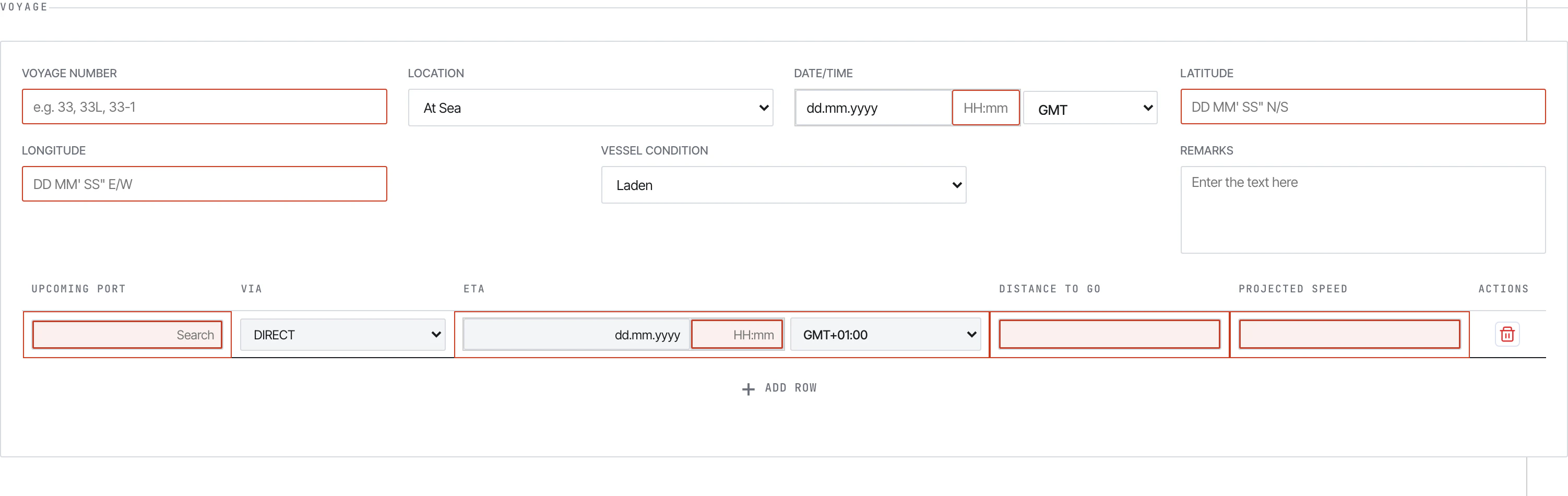 Key fields:
* **Voyage Number** — current voyage (e.g. `33`, `33L`, `33-1`)
* **Location** — `In Port` or `At Sea`. **Several downstream sections appear/disappear based on this.**
* **Date/Time** — local time + GMT offset dropdown
* **Latitude / Longitude** — `DD MM' SS" N/S` and `DD MM' SS" E/W`. Auto-formats on tab-out
* **Vessel Condition** — `Ballast` / `Laden`
* **Port** — autocomplete (don't free-type)
* **Within Ice Edge / Refuge Port Call / STS Operation** — Yes/No flags
* **Upcoming Ports table** *(At-Sea only)* — next port + ETA + distance to go
### Distance and Vessel
Key fields:
* **Voyage Number** — current voyage (e.g. `33`, `33L`, `33-1`)
* **Location** — `In Port` or `At Sea`. **Several downstream sections appear/disappear based on this.**
* **Date/Time** — local time + GMT offset dropdown
* **Latitude / Longitude** — `DD MM' SS" N/S` and `DD MM' SS" E/W`. Auto-formats on tab-out
* **Vessel Condition** — `Ballast` / `Laden`
* **Port** — autocomplete (don't free-type)
* **Within Ice Edge / Refuge Port Call / STS Operation** — Yes/No flags
* **Upcoming Ports table** *(At-Sea only)* — next port + ETA + distance to go
### Distance and Vessel
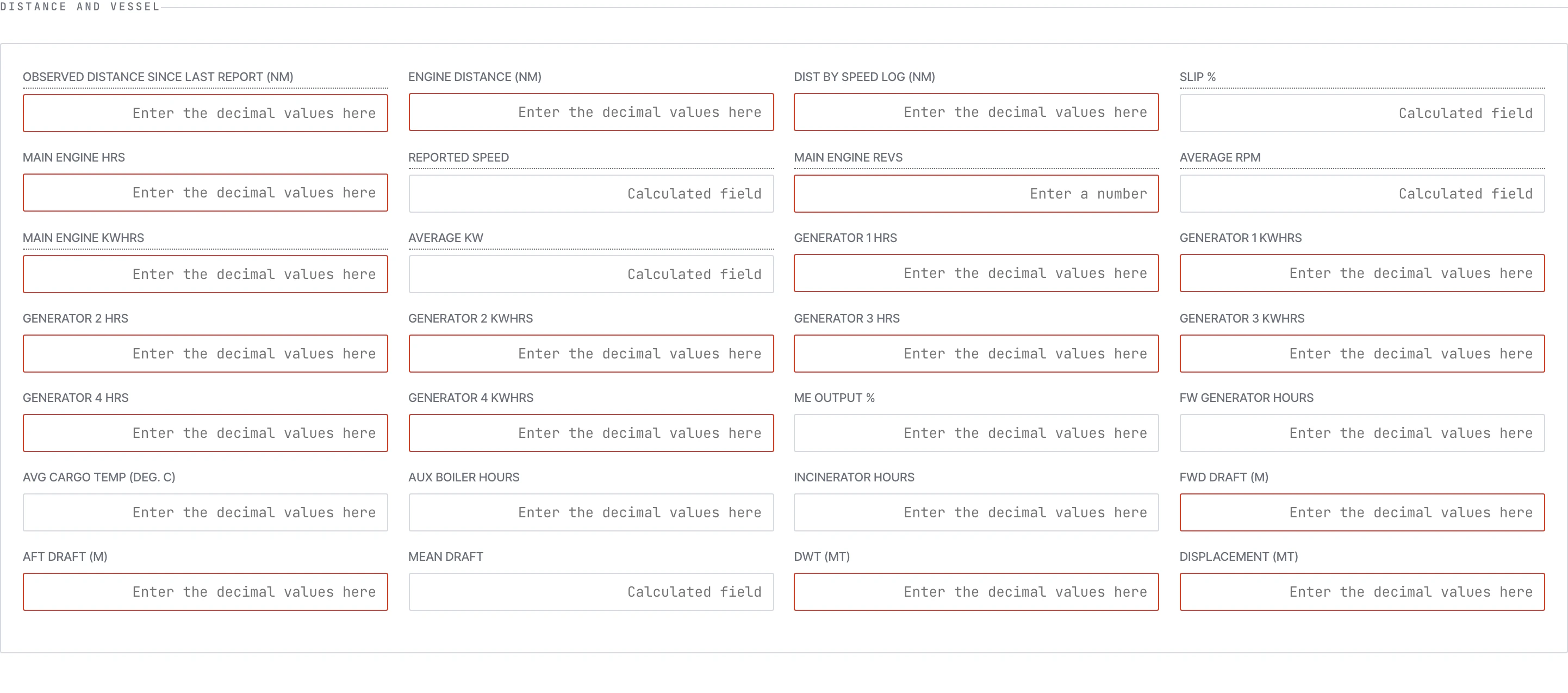 You type:
* CP/Ordered Speed, Observed Distance, Engine Distance, Speed Log Distance
* Steaming Hours, Main Engine Hours
* Main Engine Revs, Main Engine KWhrs, ME Output %
* Generator 1–4 Hours
* Aux Boiler Hours, Incinerator Hours, FW Generator Hours
* Avg Cargo Temp, Heading
The form auto-calculates: Slip %, Reported Speed, Average RPM, Average KW, Generator KWhrs.
### Weather
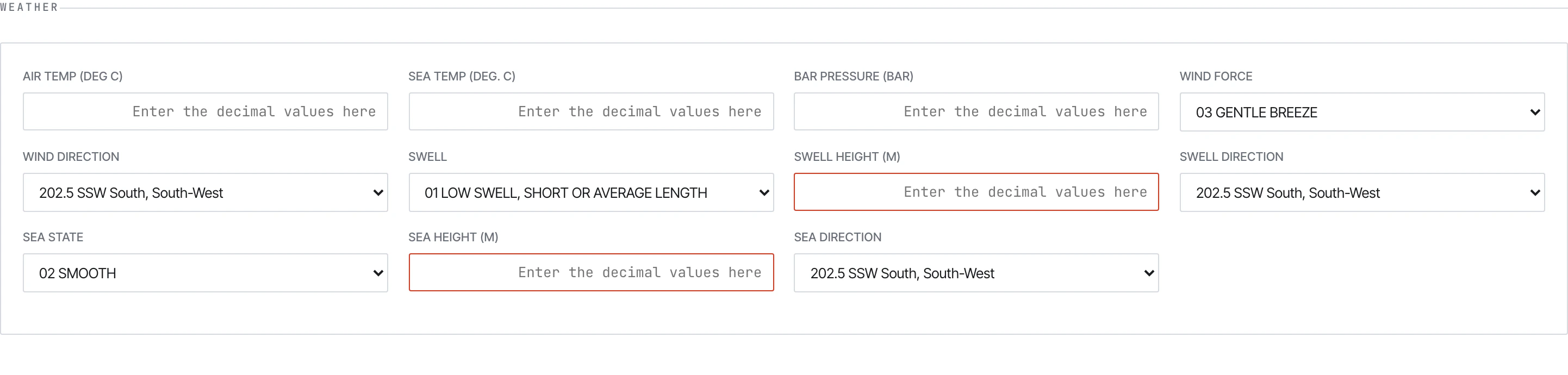
You type:
* CP/Ordered Speed, Observed Distance, Engine Distance, Speed Log Distance
* Steaming Hours, Main Engine Hours
* Main Engine Revs, Main Engine KWhrs, ME Output %
* Generator 1–4 Hours
* Aux Boiler Hours, Incinerator Hours, FW Generator Hours
* Avg Cargo Temp, Heading
The form auto-calculates: Slip %, Reported Speed, Average RPM, Average KW, Generator KWhrs.
### Weather
 ### Events
The Events block changes shape based on whether the vessel is At Sea or In Port.
### Events
The Events block changes shape based on whether the vessel is At Sea or In Port.
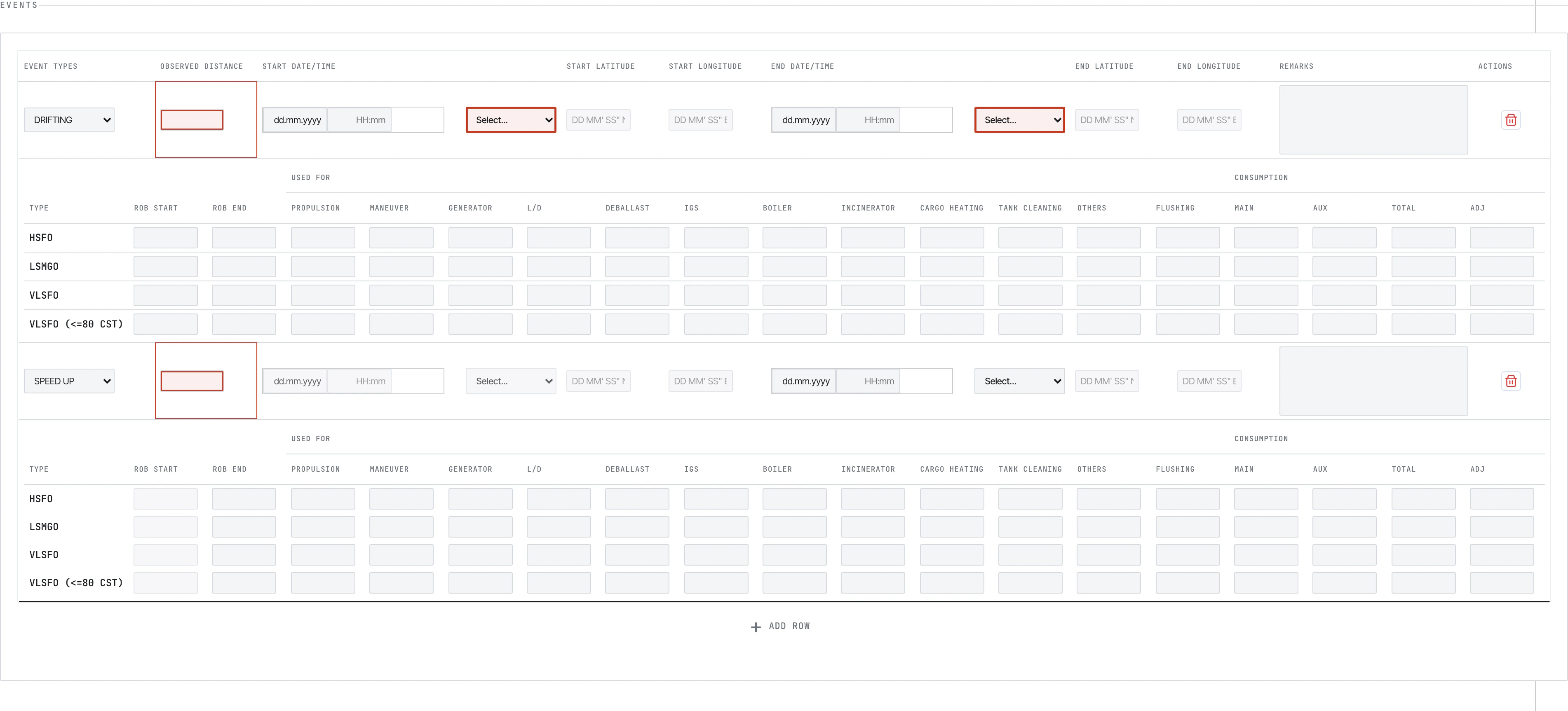 Drifting, weather, breakdown, restricted area, etc. Each event has its own per-fuel consumption breakdown.
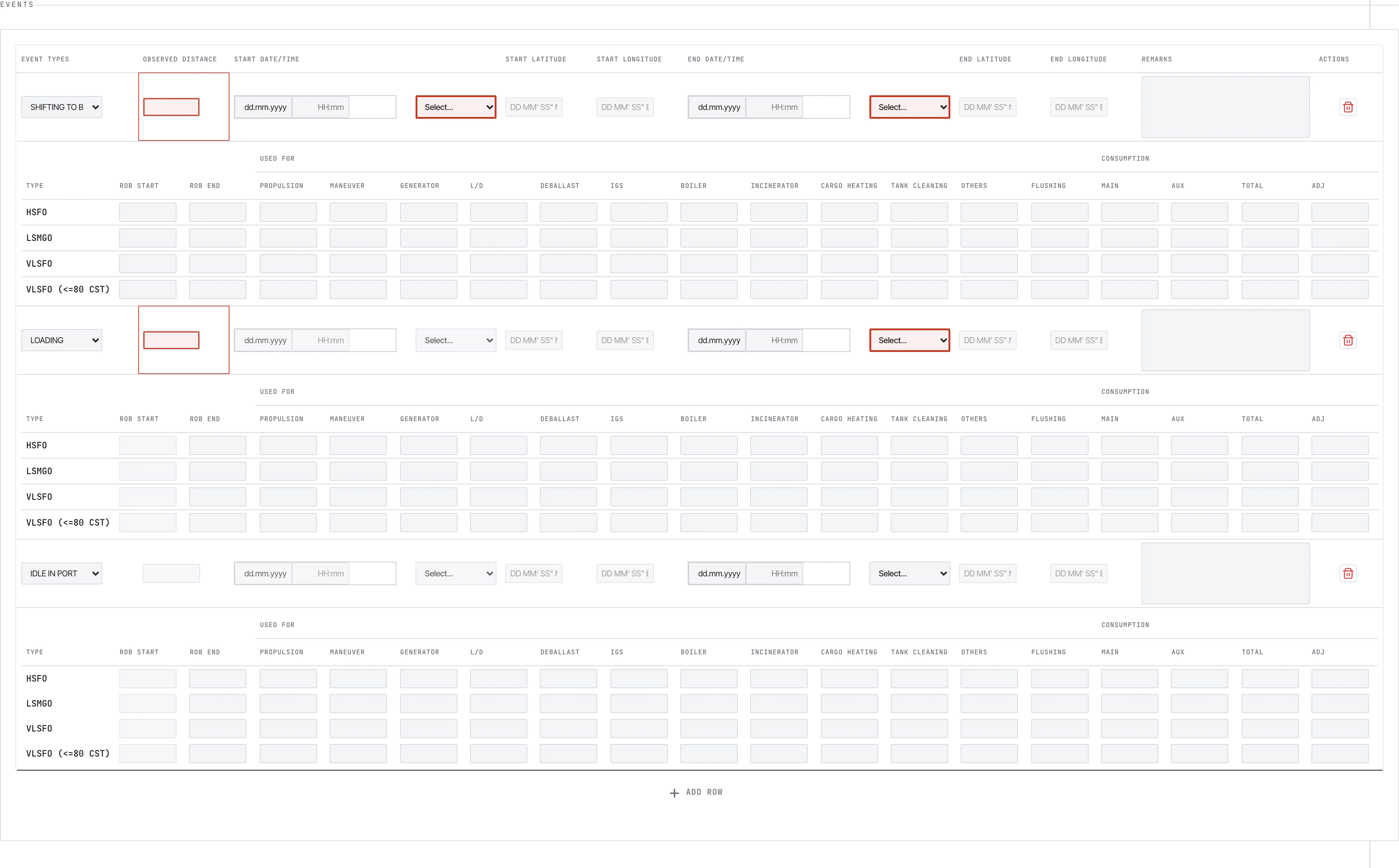 Loading, discharging, idle, bunkering, awaiting berth. Match each event to its fuel use.
### Bunker ROB
Loading, discharging, idle, bunkering, awaiting berth. Match each event to its fuel use.
### Bunker ROB
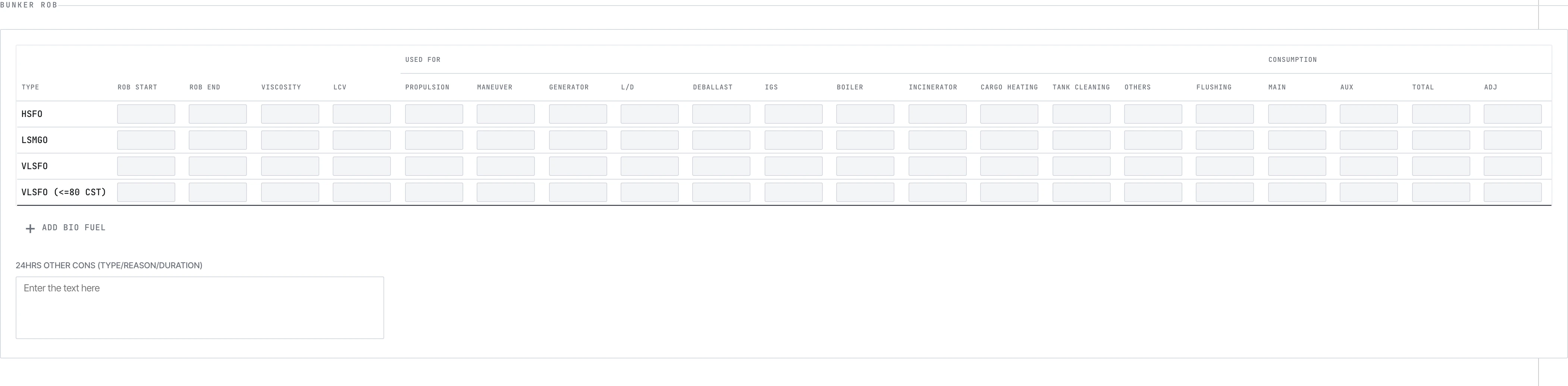 Per fuel type: ROB start (auto from previous report), ROB end (you type), and the 12 consumption categories: propulsion, manoeuvre, generator, load/discharge, deballast, IGS, boiler, incinerator, cargo heating, tank cleaning, others, flushing.
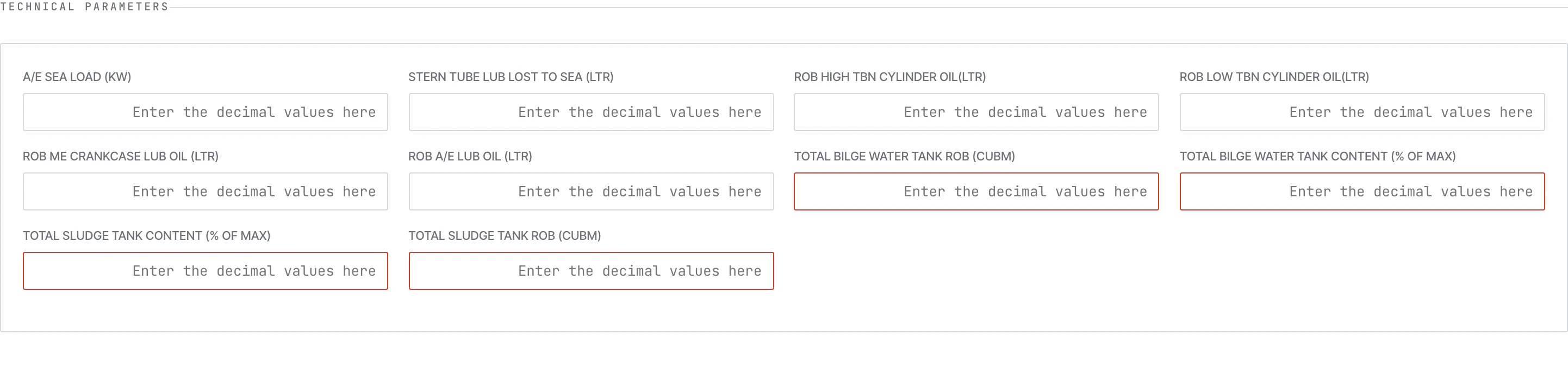
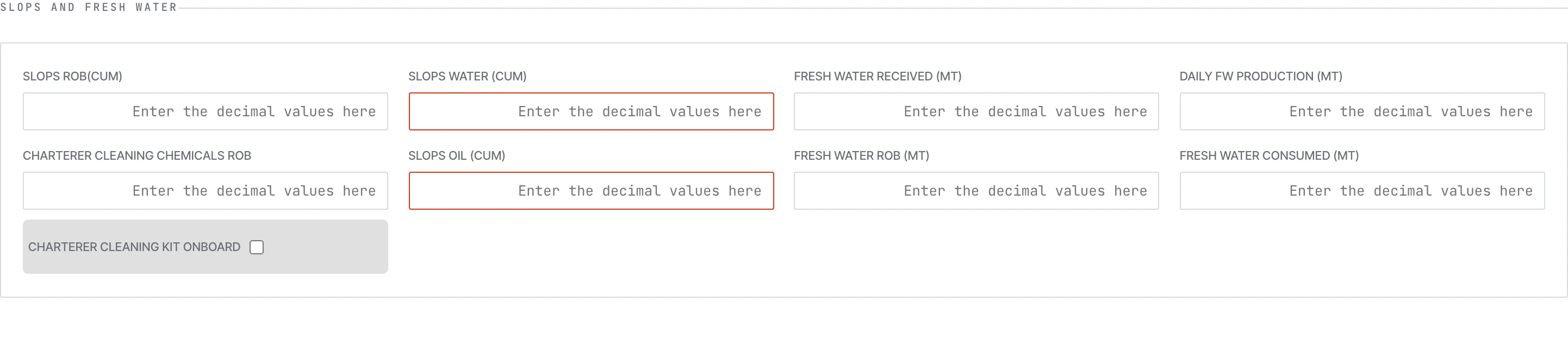
### Technical, Scrubber, FOWE, Slops & Fresh Water
Per fuel type: ROB start (auto from previous report), ROB end (you type), and the 12 consumption categories: propulsion, manoeuvre, generator, load/discharge, deballast, IGS, boiler, incinerator, cargo heating, tank cleaning, others, flushing.
### Technical, Scrubber, FOWE, Slops & Fresh Water


 ## Arrival Report
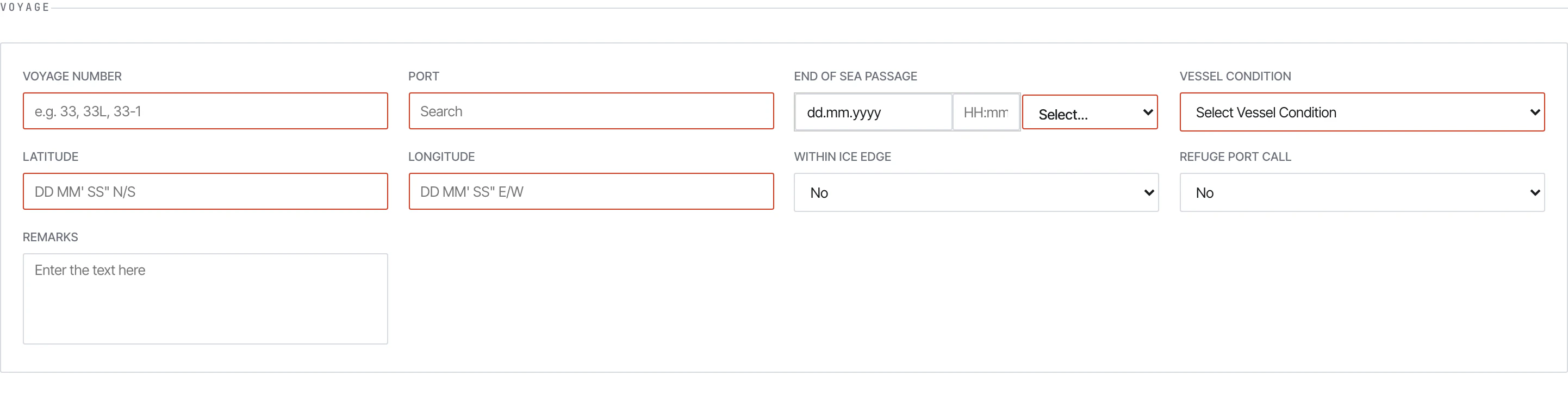 Same shape as Noon, sent at **End of Sea Passage (EOSP)**. Differences:
* Location is always `At Sea` (you record EOSP, not yet in port)
* Some sea-only fields tighten (e.g. distance fields cover the final leg only)
* Required at every arrival regardless of whether a Noon already covered the day
## Departure Report
Same shape as Noon, sent at **End of Sea Passage (EOSP)**. Differences:
* Location is always `At Sea` (you record EOSP, not yet in port)
* Some sea-only fields tighten (e.g. distance fields cover the final leg only)
* Required at every arrival regardless of whether a Noon already covered the day
## Departure Report
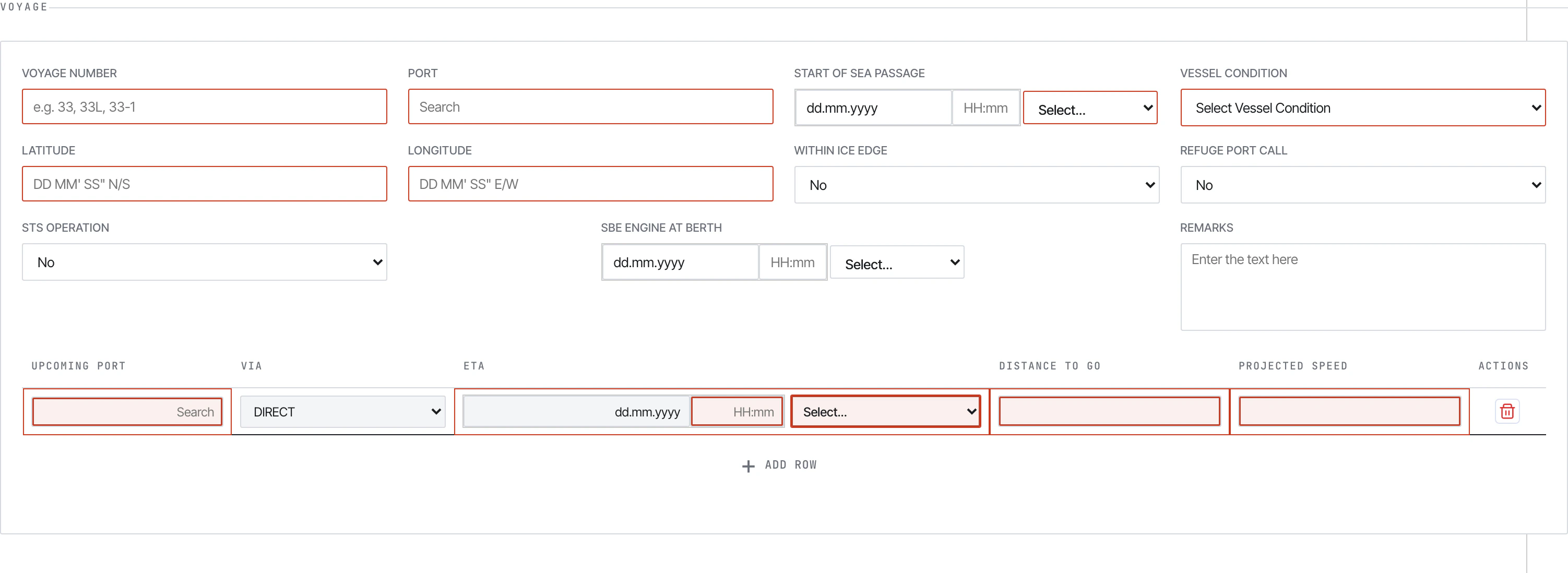 Sent at **Commencement of Sea Passage (COSP)**. Same shape as Arrival but with an extra **Berthing Details** sub-section:
 Capture: terminal name, first line ashore time, all-fast time, clear-berth time, tugs in/out.
## Bunker Report
A specialised report for bunker lifts — separate from the consumption you log in Noon.
Capture: terminal name, first line ashore time, all-fast time, clear-berth time, tugs in/out.
## Bunker Report
A specialised report for bunker lifts — separate from the consumption you log in Noon.
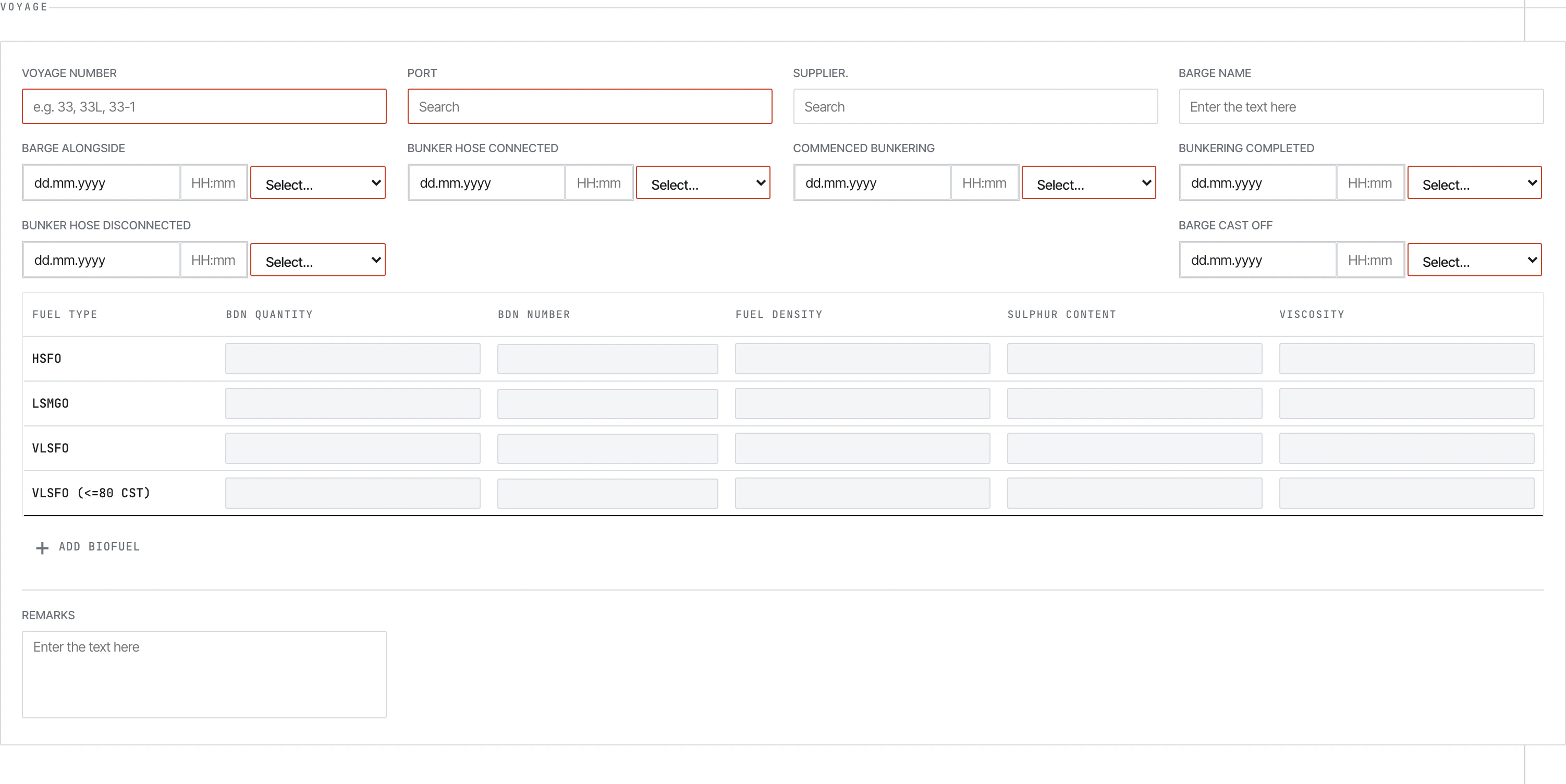 The core block is the **BDN table** — one row per fuel grade lifted:
 For biofuel blends, two extra dialogs:
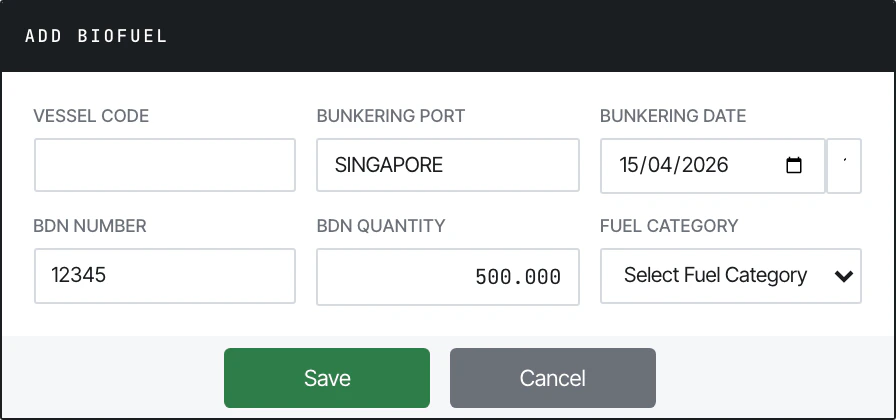 Per-feedstock: feedstock name, ISCC certificate, GHG intensity, sustainability tag.
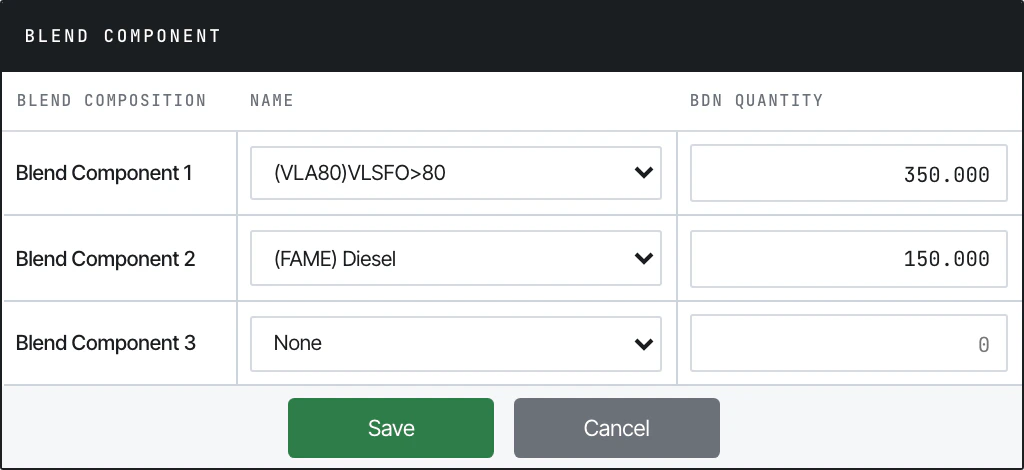 Per-component fossil fuel: percentage, density, sulphur.
Plus barge timestamps: barge alongside, hose connected, commenced bunkering, bunkering completed, hose disconnected, barge cast off.
## Statement of Facts (SOF)
Per-component fossil fuel: percentage, density, sulphur.
Plus barge timestamps: barge alongside, hose connected, commenced bunkering, bunkering completed, hose disconnected, barge cast off.
## Statement of Facts (SOF)
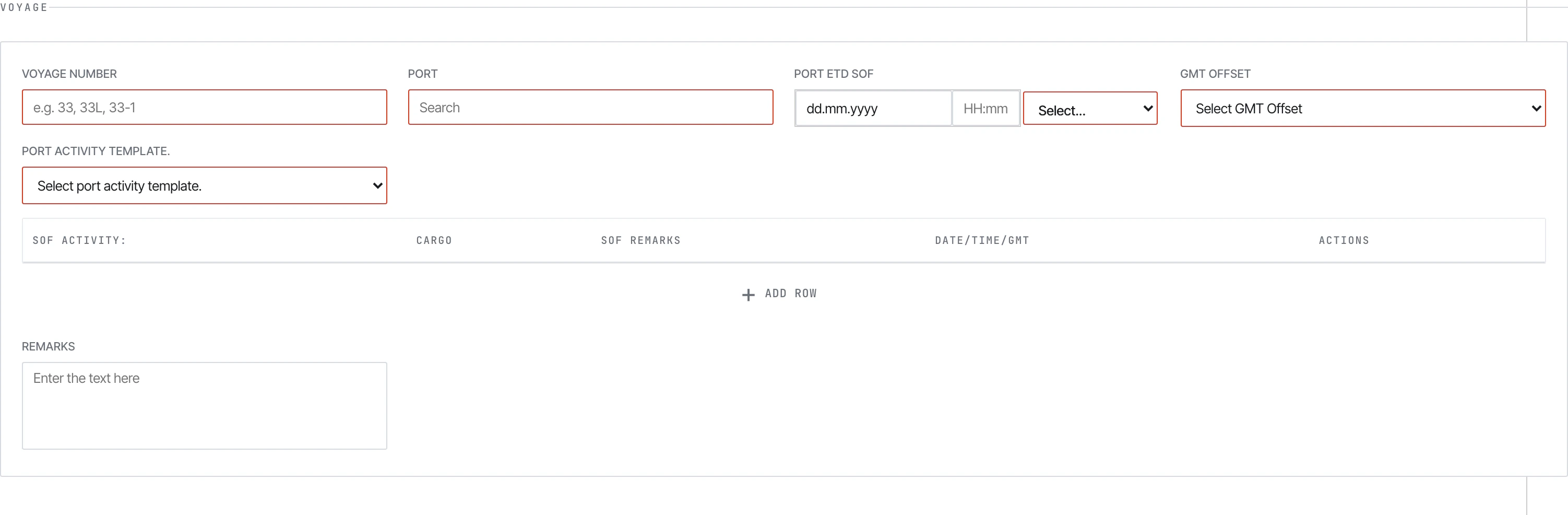 After cargo ops at one port. The unique block is the **Port Activity** table — one row per activity (anchor, pilot on board, NOR tendered, all fast, hoses connected, commenced cargo, completed cargo, hoses disconnected, departure):
 Plus a Cargo Details table with B/L number, gross/net by ship and shore figures.
## See also
* [Submitting](/form/submitting) — the Submit modal flow
* [Validation](/form/validation) — required fields and validation limits
* [Guidelines PDFs](/form/guidelines-pdf) — `01-Metaweave-Forms-Guidelines.md` is the field-by-field crew reference
Plus a Cargo Details table with B/L number, gross/net by ship and shore figures.
## See also
* [Submitting](/form/submitting) — the Submit modal flow
* [Validation](/form/validation) — required fields and validation limits
* [Guidelines PDFs](/form/guidelines-pdf) — `01-Metaweave-Forms-Guidelines.md` is the field-by-field crew reference