> ## Documentation Index
> Fetch the complete documentation index at: https://docs.appliedaifoundation.org/llms.txt
> Use this file to discover all available pages before exploring further.
# Methodology explorer
> In-app calculators and reference tables for CII, EU ETS, and FuelEU.
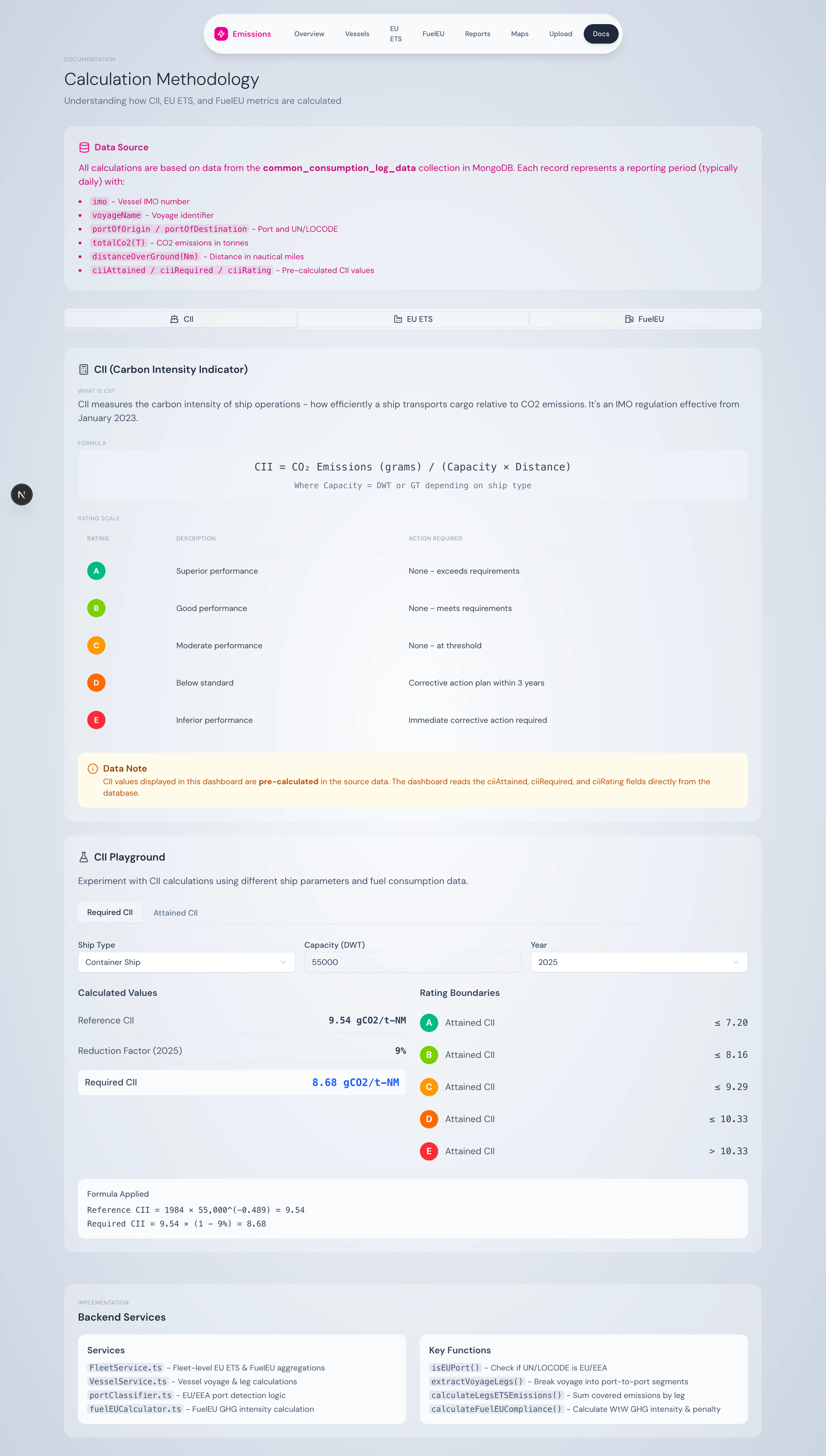
The Methodology page is the platform's built-in classroom. It explains each calculation in plain language and gives you interactive calculators so you can sanity-check inputs without spreadsheet wrangling.
 ## Three tabs
### CII tab
## Three tabs
### CII tab
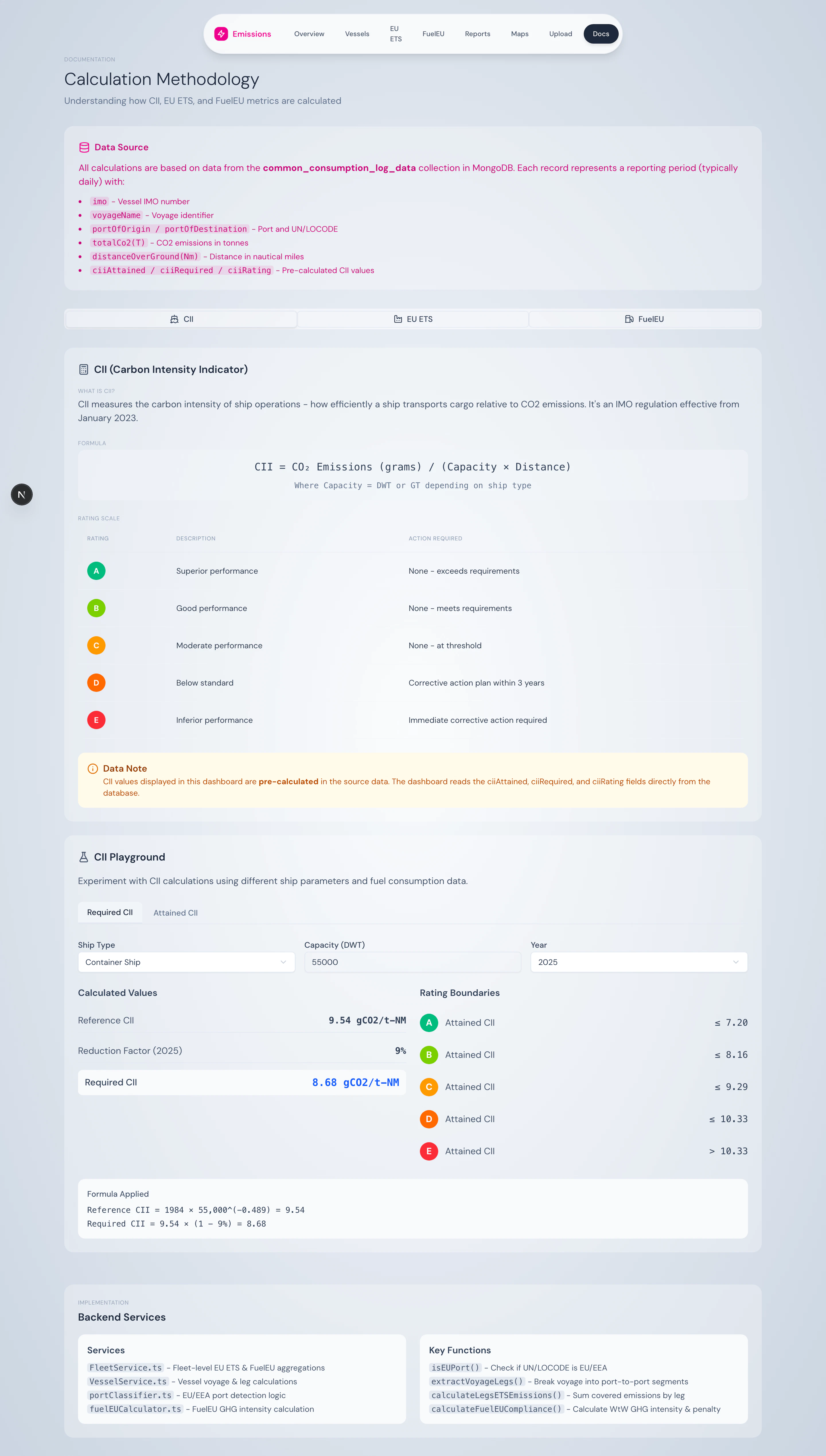
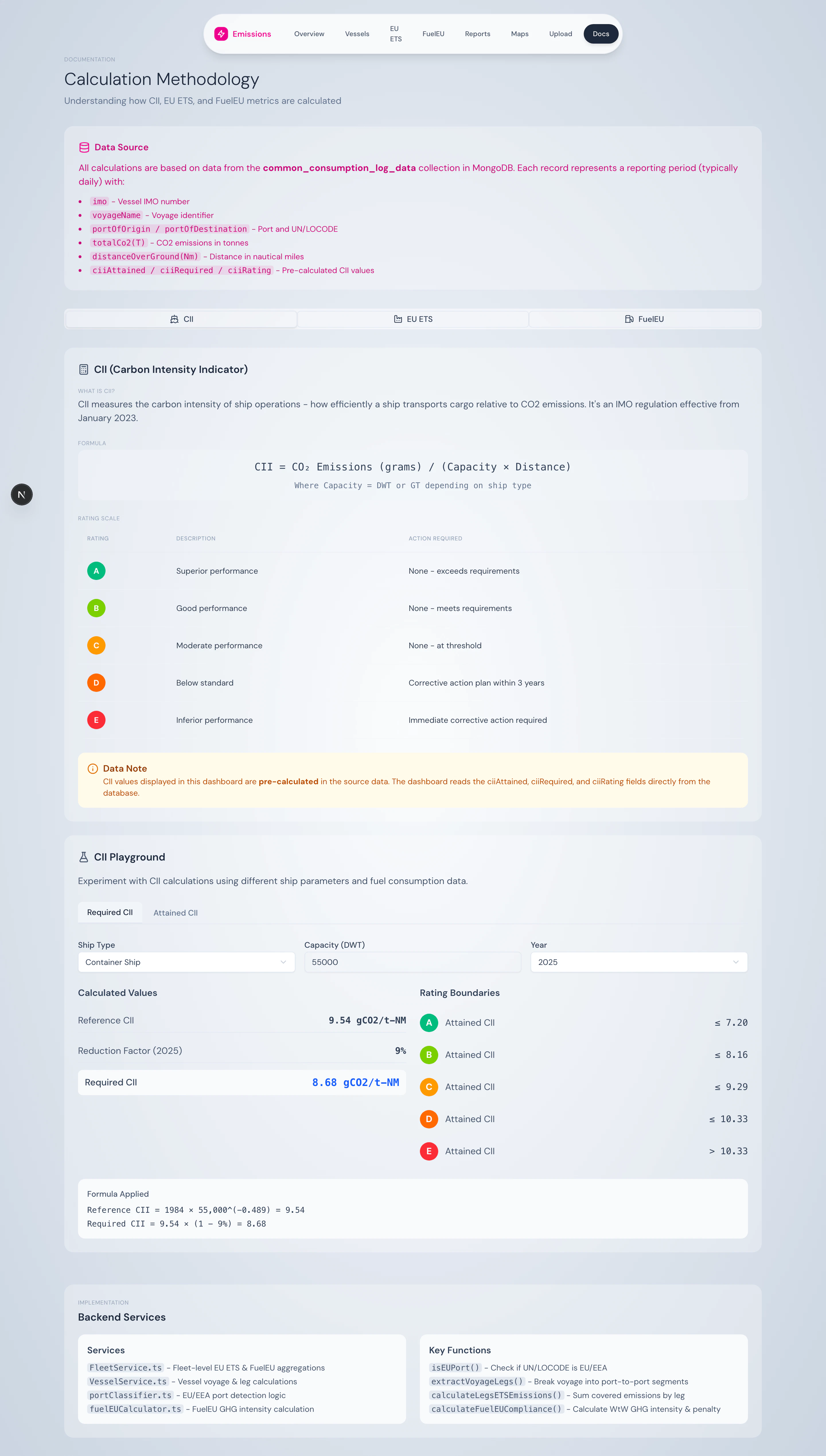
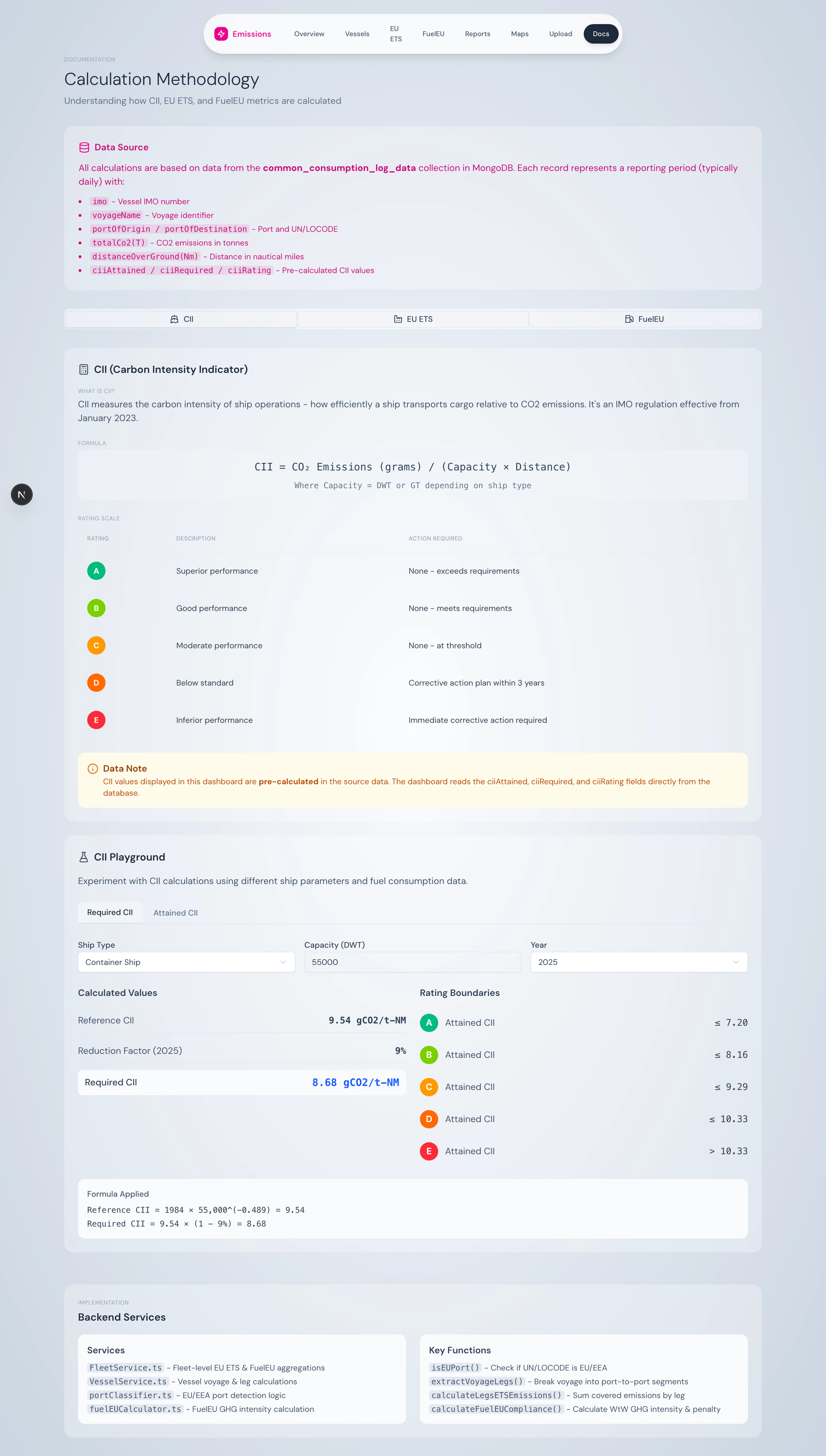 * Plain-language explanation of CII and the A–E rating scale
* Reference-line formula `CII_ref = a × Capacity^(-c)` with a explanation of `a` and `c` per ship type
* **Required CII calculator** — enter ship type, capacity, year → get the required value and reduction factor for that year
* **Attained CII calculator** — enter CO₂, capacity, distance → get attained CII plus the corresponding rating
### EU ETS tab
* Plain-language explanation of CII and the A–E rating scale
* Reference-line formula `CII_ref = a × Capacity^(-c)` with a explanation of `a` and `c` per ship type
* **Required CII calculator** — enter ship type, capacity, year → get the required value and reduction factor for that year
* **Attained CII calculator** — enter CO₂, capacity, distance → get attained CII plus the corresponding rating
### EU ETS tab
 * Voyage classification table and coverage factors
* Phase-in schedule (40% / 70% / 100%)
* **EU ETS calculator** — enter voyage CO₂, voyage type, year, EUA price → get coverage %, phase-in factor, ETS emissions, and EUR cost
### FuelEU tab
* Voyage classification table and coverage factors
* Phase-in schedule (40% / 70% / 100%)
* **EU ETS calculator** — enter voyage CO₂, voyage type, year, EUA price → get coverage %, phase-in factor, ETS emissions, and EUR cost
### FuelEU tab
 * Plain-language WtW = WtT + TtW explanation
* Full reduction pathway 2025–2050
* Annex II default emission factors for every supported fuel
* **FuelEU calculator** — enter fuel type, tonnes, year → get WtT, TtW, WtW, fleet-equivalent intensity, compliance status, and projected penalty
## What you can do here
* Verify numbers from the dashboard against a manual calculation
* Train new team members on the regulatory mechanics
* Model what-if scenarios before committing data: "what would CII look like if we bunkered 200 t of LNG instead of HFO?"
* Reference the official formulas without leaving the platform
## Source
UI under `src/app/methodology/`. Calculator inputs reuse the same calculation utilities (`ciiCalculator.ts`, `fuelEUCalculator.ts`, `portClassifier.ts`) that power the production dashboard — there's no separate "demo" code path.
* Plain-language WtW = WtT + TtW explanation
* Full reduction pathway 2025–2050
* Annex II default emission factors for every supported fuel
* **FuelEU calculator** — enter fuel type, tonnes, year → get WtT, TtW, WtW, fleet-equivalent intensity, compliance status, and projected penalty
## What you can do here
* Verify numbers from the dashboard against a manual calculation
* Train new team members on the regulatory mechanics
* Model what-if scenarios before committing data: "what would CII look like if we bunkered 200 t of LNG instead of HFO?"
* Reference the official formulas without leaving the platform
## Source
UI under `src/app/methodology/`. Calculator inputs reuse the same calculation utilities (`ciiCalculator.ts`, `fuelEUCalculator.ts`, `portClassifier.ts`) that power the production dashboard — there's no separate "demo" code path.